- 1 Seamless Integration and Security: Alipay offers a straightforward API integration process for developers, ensuring secure, real-time, contact-free transactions to enhance business safety and efficiency.
- 2 Comprehensive Payment Solutions: Hence, through real time indexing, highest possible relevance ranking, and the ability to generate QR codes, Alipay establishes a versatile platform of e-commerce and digital payment services.
- 3 Enhanced Developer Experience: Alipay makes integration as easy as possible and readily available through specific documentations of the generation tools and APIs alongside elaborated access to functionality to aid developers in the creation of safe and efficient payments.
Alipay is providing the solution of smart e-commerce, contact free payment options and digital ecosystem. One integration with multiple options to get help in business. A digital ecosystem plays a vital role in your business. The main thing is safety & security because every transaction should be secured by a trusted technology and protected from involvement of virus transmission for the safety of customers. Alipay is providing an easy way of integration of APIs. By creating a developer account and following minimal instructions a user can integrate APIs.
Why API-Based Payment Integration Matters for Growing Businesses
Payment integration is often treated as a checkbox to clear before launch, but the choice of how it’s implemented has consequences well beyond the initial setup. A well-integrated payment API reduces checkout friction, which directly affects conversion — every additional redirect or manual step between a customer deciding to buy and completing payment is an opportunity for drop-off.
Beyond conversion, API-based integration gives a business more control over the payment experience itself. Rather than redirecting customers to a fully external page, a properly integrated API allows the checkout flow to stay branded and consistent with the rest of the site or app, which builds more trust than an abrupt handoff to an unfamiliar interface.
There’s also a reliability dimension. Direct API integration typically gives businesses better visibility into transaction status, failure reasons, and reconciliation data than relying on manual processes or third-party dashboards alone — which matters considerably once transaction volume grows beyond what can be manually tracked.
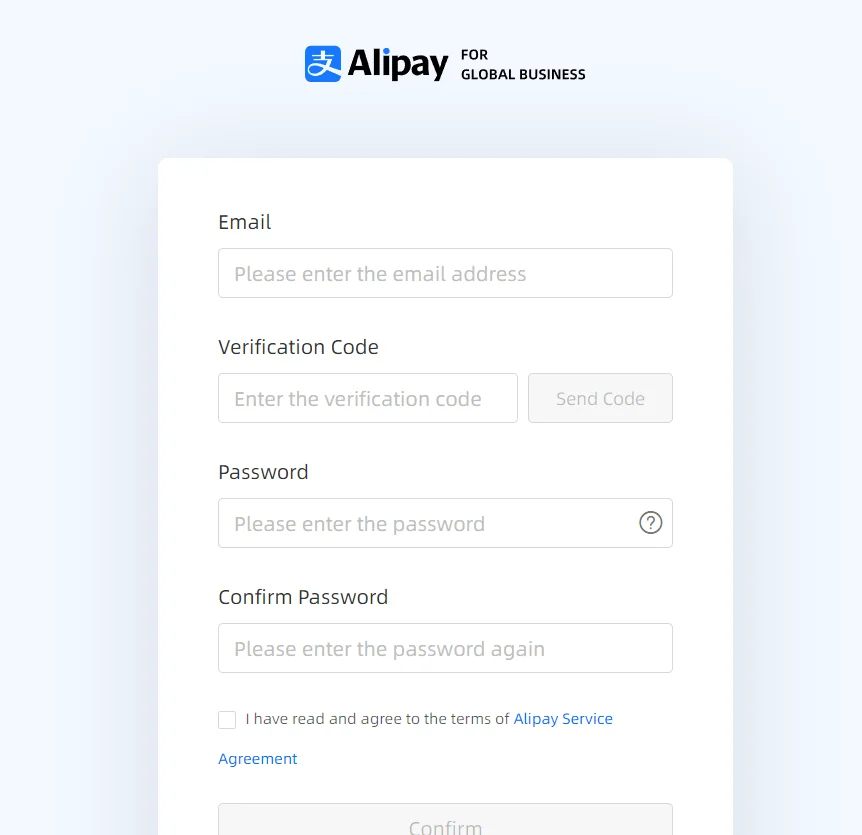
Create a developer account at Alipay home
By creating a developer account, users can get started.
after visiting the page click on the Login
Or you can click on this signup URL directly if you don’t have login credentials
After entering the basic details a user can have a developer account to integrate the APIs.
Set Public and Private Keys for Alipay account
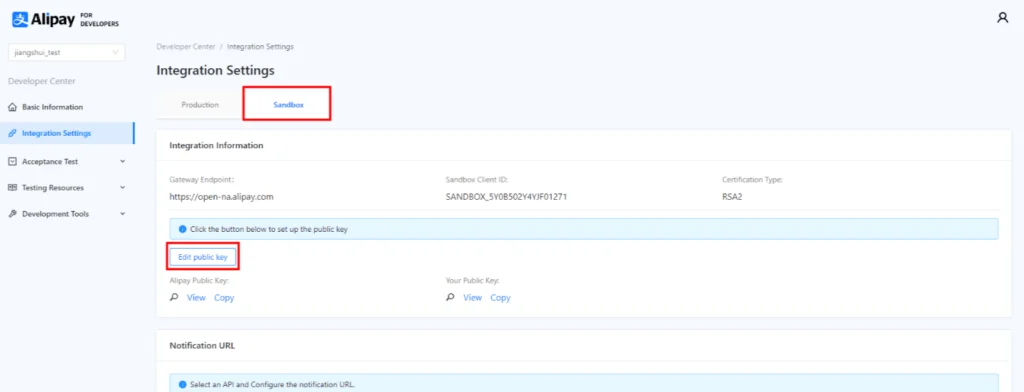
After creating the developer account then login on the sandbox dashboard and then you can see the “Integration Settings” section and click on that.
As you can see a button “Edit Public Key”, click on this button a new modal will display on the screen as shown below.

If you are a “Mac” user then click on “For Mac” otherwise for windows click on “For Windows”. Now a key generator tool will start downloading. After completion of downloading you can see a zip file downloaded at the download location and you will have to unzip that file. Now you can see the files and folders as shown in the below screenshot.
Run file to see private and public keys
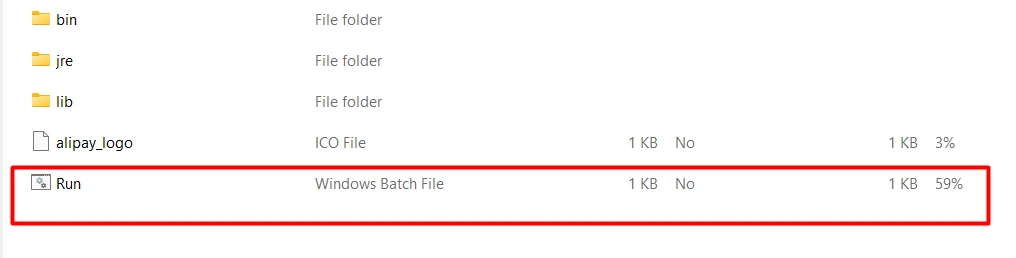
Now double click on the “Run” file and a modal will display on the screen. On that modal choose the new key and then see the private and public keys in the different sections. Keep those keys as backup in text files for future reference.
After all of these, come back on the Alipay sandbox dashboard and paste that public key here in the box as shown in the below screenshot and then click on submit button. In this way a user can set up a developer account to integrate the Alipay APIs easily.
Now the user has a pair of keys (Private/Public) and a public user can copy from the Alipay sandbox dashboard to validate the Alipay response in his code. Because corresponding a pair of keys is used by Alipay as well to encrypt and decrypt the response and in the same the pair keys user has used to encrypt and decrypt the request. And by submitting the public key here and copying the Alipay public key user and Alipay exchange the public keys with each other. So that when a user sends an encrypted request on Alipay then Alipay by using the public can decrypt that request and then Alipay sends an encrypted response and by using the Alipay’s public key user can decrypt the response.
Best Practices for Managing API Keys Securely
The private and public key pair generated during setup is one of the most sensitive assets in the entire integration, since it’s what allows encrypted communication between your system and the payment provider. A few practices worth treating as non-negotiable:
Never commit private keys to version control. Even in private repositories, committed keys tend to end up more widely accessible than intended over time, whether through forks, backups, or team member access changes. Environment variables or a dedicated secrets manager are the safer default.
Separate sandbox and production keys clearly. Mixing up sandbox and production credentials, even briefly during testing, risks accidentally processing real transactions in a test environment or exposing production keys in less-secured test configurations.
Rotate keys on a defined schedule, not just after an incident. Treating key rotation as a routine maintenance task, rather than a reactive measure taken only after a suspected compromise, meaningfully reduces the window of exposure if a key is ever leaked.
Restrict access to who can view or regenerate keys. Not every team member working on the integration needs access to the raw key files — limiting this to the developers actually responsible for the payment integration reduces the number of places a key could leak from.
Build request header
Build the request header by adding the pair of keys and values in the request header.
Follow this instructions to set values accordingly.

Sign Signature for request header
As you can see in the above screenshot signature is required in the request header. Here is the snippet of the Java code used to sign the signature.
/**
     *
     * @param requestURI // domain part excluded, sample: /ams/api/v1/payments/pay
     * @param clientId
     * @param requestTime
     * @param privateKey
     * @param requestBody
     * @return
     */
    public static String sign(String requestURI, String clientId, String requestTime,
                              String privateKey, String requestBody) {

        String content = String.format("POST %s\n%s.%s.%s", requestURI, clientId, requestTime,
            requestBody);

        try {
            java.security.Signature signature = java.security.Signature
                .getInstance("SHA256withRSA");

            PrivateKey priKey = KeyFactory.getInstance("RSA").generatePrivate(
                new PKCS8EncodedKeySpec(Base64.decodeBase64(privateKey.getBytes("UTF-8"))));

            signature.initSign(priKey);
            signature.update(content.getBytes("UTF-8"));

            byte[] signed = signature.sign();

            return URLEncoder.encode(new String(Base64.encodeBase64(signed), "UTF-8"), "UTF-8");
        } catch (Exception e) {
            throw new RuntimeException(e);
        }
    }
Common Signature and Encryption Errors to Watch For
While verifying the digital signature of an API request is one of the simplest steps in implementing a payments API, there are several common pitfalls that lead to unexpected rejections.
The character encoding of request bodies signed vs. sent differs – if non-ASCII characters are present, such mismatch will lead to signature mismatches because their encoding in UTF-8 will differ between two versions. Use the same encoding (preferably UTF-8) throughout the process of signing and sending requests to avoid unexpected issues.
The signed request contains fields in incorrect order or representation. Some signature validation algorithms are sensitive to the order of fields in the signed string, even when their values are the same. Therefore, it is important to follow the specified conventions while building the signed string.
The time on the server where the request is processed differs significantly from the client machine’s clock. Many APIs require including the timestamp in the signed fields and reject requests with timestamps that are too old or too far in the future. The problem can be resolved by ensuring that the server and client clocks are synchronized.
The application uses a different cryptographic key for signing and verification purposes. Since both encryption and decryption are applied using the private and public keys, using an incorrect one will result in signature mismatches. The issue would often occur when mistakenly using sandbox credentials in production or the other way around.
Merchant Registration on Alipay
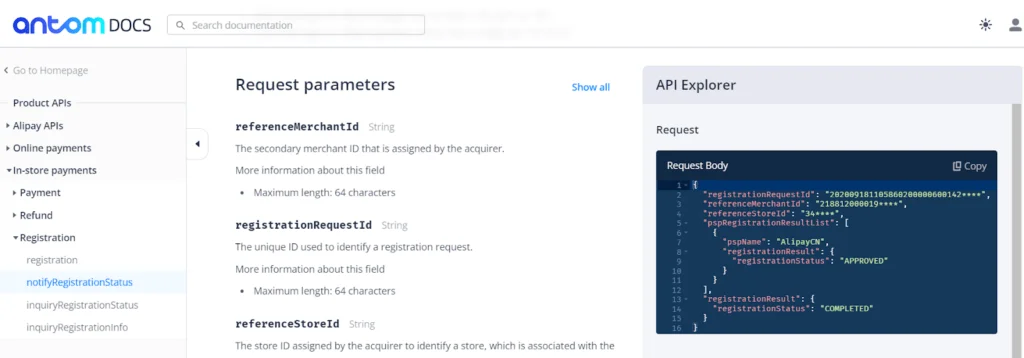
After visiting the APIs documentation link, you can see the “In Store Payments” section and other sub menus. Now you have to click on “Registration”. As shown in the screenshot, you can see the API URL, request header, and response header. Before sending the request on URL a user will have to prepare the request header as required to fulfill the request and accordingly can verify the response header as well.

Notify Merchant Registration Status on Alipay

After registering a merchant on Alipay a user can call an API to send the merchant registration result to the merchant.
Read more in the details guide
QR Code Generation
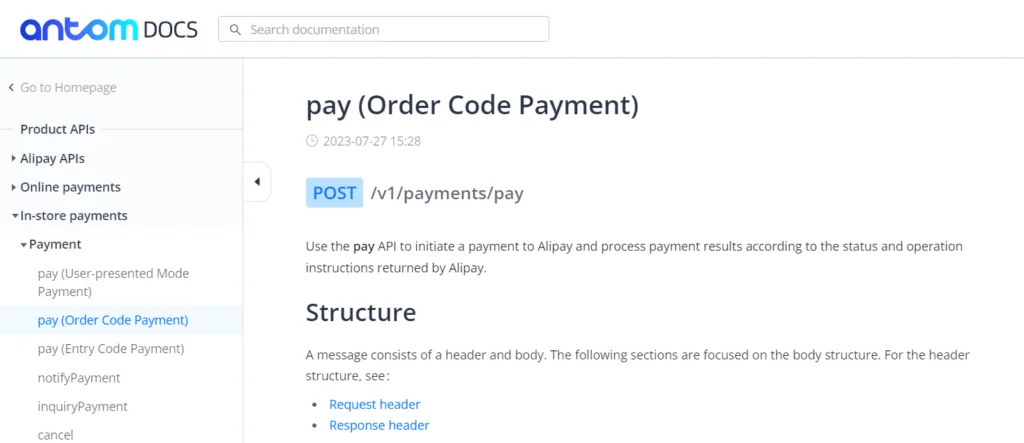
This API is used for order code payments and by sending all the required details users can generate the QR code and all details of the QR code will be received in the API response.
Read more in the details guide

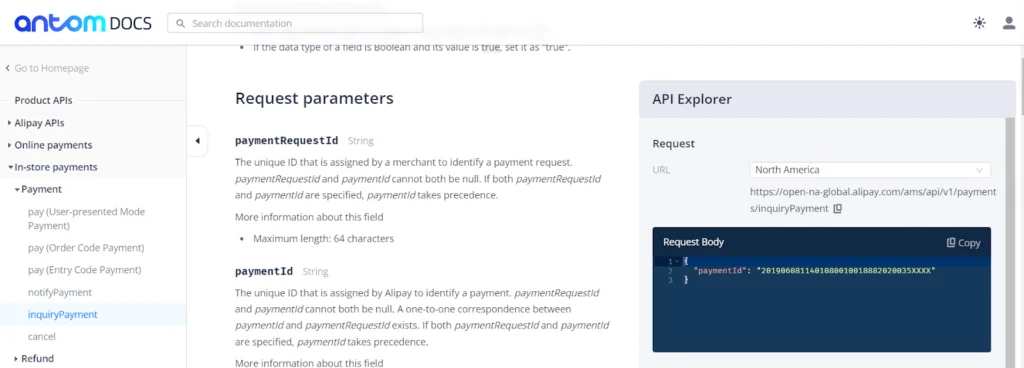
Inquiry QR Code Payment
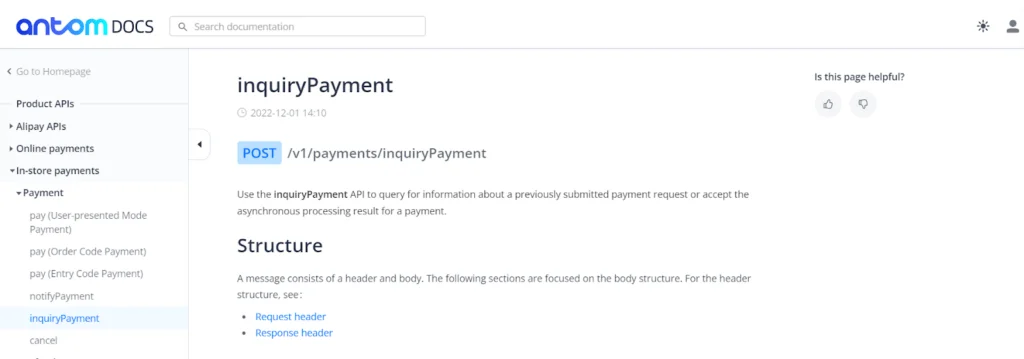
This API is used to get more information about a previously submitted payment request.
Notify QR Code Payment

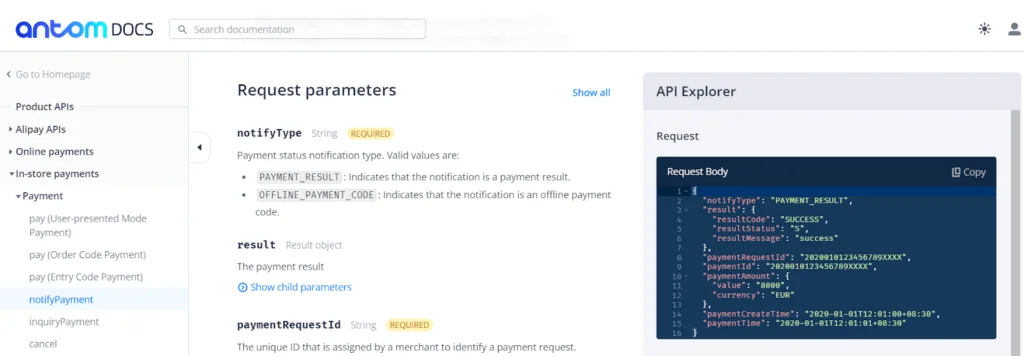
This API is used to send the payment details to the merchant after payment processing reaches a final phase of success.
Testing Your Integration Before Going Live
Moving from sandbox to production is where integration issues that didn’t surface in testing tend to appear, so it’s worth testing deliberately rather than assuming sandbox success guarantees production readiness.
Test the full payment lifecycle, not just the happy path. Successful payments are the easiest case to test and the least likely to reveal problems. Deliberately testing failed payments, timeouts, and cancelled transactions surfaces how your system handles states that are much harder to reproduce once real customers are involved.
Verify webhook or notification handling under duplicate delivery. Most payment providers may send the same status notification more than once to guarantee delivery. An integration that isn’t idempotent — meaning it doesn’t safely handle receiving the same notification twice — can end up double-processing an order or a refund.
Confirm reconciliation data matches your internal records. Before going live, cross-check a batch of sandbox test transactions against your own order and payment records to confirm nothing is silently mismatched, since discrepancies here are much more expensive to catch after real money is involved.
Have a clear rollback plan. If something goes wrong shortly after launch, knowing in advance how to temporarily fall back to a previous payment flow, or pause new transactions safely, avoids improvising under pressure during an active incident.
Conclusion
In conclusion, mastering the ALIPAY QR Generation API opens doors to diverse payment solutions. Seamlessly integrate this powerful tool to unlock new possibilities and streamline financial transactions with ease.
For additional insightful articles and information on custom software development services, please reach out to us.