Most novices provide prompts that are similar to search queries. It is for this reason that the outputs appear random. Good prompts rely on four elements: the role, task, context, and expected output. This guide covers how few-shot prompting, chain-of-thought, and prompt versioning improve LLM outputs.
- 1 A vague prompt is not a bad result waiting to happen — it's a random result waiting to happen. Specificity is the whole game.
- 2 System prompts and user prompts are not interchangeable; conflating them is the fastest way to get inconsistent output at scale.
- 3 Role-based framing ("act as a senior backend engineer reviewing this code") consistently outperforms flat instruction ("review this code") on complex reasoning tasks.
- 4 Chain-of-thought prompting is not a trick — it's how you extract reasoning instead of just answers, and reasoning is what you actually need to trust the output.
- 5 Few-shot examples are the most underused lever beginners have. Three good examples usually beat three paragraphs of instructions.
- 6 Prompt versioning is not optional once you're building anything production-adjacent. Prompts are code. Treat them that way.
The Prompt Looked Fine. The Output Wasn’t.
You spend 20 minutes crafting what feels like a detailed prompt. The output comes back either too generic to use or weirdly off in a direction you didn’t ask for. You tweak one word, try again. Still wrong. You start wondering if the model is the problem.
It’s not the model.
This is where most beginners get stuck — and most intermediate users, honestly. The gap between “prompts that sometimes work” and “prompts that work reliably” is not about knowing more words to use. It’s about understanding what the model actually needs to produce the thing you’re imagining.
What Was Actually Happening When Our Prompts Kept Failing
Early on, when our team at Innostax was integrating LLM-based features into client applications — document summarization, support ticket triage, code review automation — we ran into the same issue repeatedly. The model would produce output that was technically fine but practically useless for the specific context the client needed.
The summaries were too generic. The ticket triage was missing business-specific categories. The code review comments were surface-level.
We blamed model capability for about two weeks before we looked more carefully at what we were actually sending. The prompts were instructions. They weren’t context. That distinction sounds small. It is not.
The model does not know which client it’s working for. It does not know that “priority” in that particular support system means something different than what the word normally implies. It does not know the codebase conventions unless you tell it. We were writing prompts as if the model had ambient knowledge it absolutely did not have.
What Most Beginners Get Wrong
The most common mistake is writing prompts the way you’d phrase a search query. Short, keyword-dense, hoping the model figures out the rest.
The second most common mistake is over-explaining the wrong things. Beginners write paragraphs about what they want the output to look like, and nothing about what the input is, who’s going to use the output, or what a bad answer would look like.
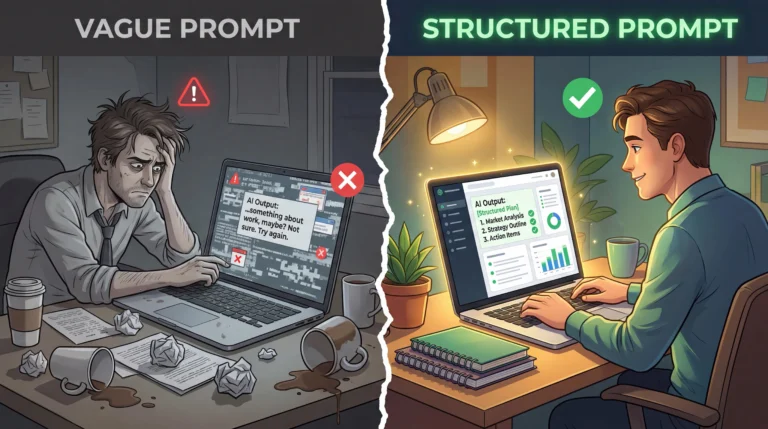
Here’s the actual information a useful prompt needs to contain:
Role — Who or what is the model in this interaction? “You are a backend engineer reviewing a Python service for security vulnerabilities” is a completely different setup than “review this code.”
Task — What specifically needs to happen? Not “summarize this” but “summarize this 3,000-word support thread into three sentences: the customer’s core complaint, what was tried, and what’s still unresolved.”
Context — What does the model need to know that it can’t infer? The audience, the constraints, the format the output feeds into, the downstream use.
Output spec — What does done look like? Length, structure, tone, what to include and what to skip.
Most beginner prompts have the task. That’s it. The other three are what separate a prompt that works once from one that works every time.
Why “Just Add More Detail” Doesn’t Always Fix It
Once people learn that context matters, they overcorrect. We’ve seen prompts balloon to 800 words of background, edge cases, and caveats, on the theory that more information can only help. It doesn’t work that way.
Models don’t weigh every sentence in a prompt equally. Bury the actual instruction under six paragraphs of preamble and you’re competing with your own context for the model’s attention. We had a client prompt for support ticket categorization that had grown to include three paragraphs explaining company history before it ever got to what the model was supposed to do. Cutting it down to a two-sentence company description and moving the actual task to the top of the prompt fixed more inconsistency than any wording change we tried.
The rule that’s worked for us: if a piece of context doesn’t change what a correct answer looks like, cut it. Relevant detail helps. Irrelevant detail is just noise the model has to sort through, and it doesn’t always sort through it the way you’d hope.
The Techniques Worth Learning First
Few-shot prompting. Before you write another paragraph of instructions, write three examples. Show the model an input, then show it the output you want for that input. Do it three times with different cases. This is the fastest way to encode expectations the model can actually pattern-match against.

Chain-of-thought. For anything requiring reasoning — analysis, comparison, debugging — add “think through this step by step before giving your answer” or structure the prompt to require intermediate reasoning steps. Models produce better answers when they reason out loud, and you get the added benefit of being able to see where the reasoning went wrong when it does.
Role prompting. Set the role in the system prompt, not the user prompt, if you’re using an API. A system prompt that says “you are a senior DevOps engineer specializing in Kubernetes incident response” will shape the whole conversation differently than dropping that instruction mid-thread.
Negative constraints. Tell the model what not to do. “Do not include general background information,” “do not hedge with qualifiers unless the claim is genuinely uncertain,” “do not use bullet points.” Positive instruction is not enough for things you specifically want absent from the output.
Temperature and parameters. For factual or structured tasks, low temperature (0.0–0.3). For brainstorming or creative variation, higher (0.7–1.0). This is documented in every model provider’s API docs — Anthropic’s here, OpenAI’s here — and it matters more than most beginners realize. If you’re getting inconsistent outputs, check what temperature you’re running at before blaming the prompt.
Structuring Prompts So the Model Can’t Misread Them
One aspect that has proven more impactful than one might initially realize is structuring the prompt using delineations for the various components rather than a generic blob of text.
If the prompt is a combination of instructions, context, and examples, the model has to determine what is what. This adds an additional layer of complexity which could be alleviated by utilizing tags for different elements. Anthropic’s documentation for Claude recommends using tags for context and tasks, and we found that similar considerations apply to other LLMs.
This consideration is even more pertinent if one is providing a document or a snippet of code or any other data alongside the prompt. The model may misinterpret a portion of the reference data as an instruction or the other way around. We witnessed the latter scenario in the case of the code review example, where the model attempted to “correct” a comment in the code, presumably trained to believe that it is supposed to amend the code to fix issues, but no delineation had been made between the code example and instructions.
Prompt Versioning — The Thing You’ll Regret Skipping
If you are using prompts in any kind of application — even a small internal tool — version control them. Not in a comment. In a file, in a repo, with the same commit hygiene you’d apply to actual code.
Prompts drift. You edit one clause to fix a problem, and three outputs that were working fine before start behaving differently. Without versioning, you will not know what changed, when, or why the regression happened.
We use simple .txt or .md files in a /prompts directory, commit changes with meaningful messages, and treat prompt PRs the same as code PRs. It’s not glamorous, but it has saved us from several production debugging sessions that would have been painful without the history.
Tools like PromptLayer and LangSmith also give you logging and comparison infrastructure if you’re running at scale.

How We Actually Test a Prompt Before Shipping It
Versioning tells you what changed. It doesn’t tell you whether the change was actually an improvement. For that you need something to test against, and eyeballing a couple of outputs isn’t it — we’ve been burned by a prompt that looked better on the three examples we checked and then quietly got worse on cases we hadn’t thought to try.
What’s worked for us is keeping a small set of real examples — pulled from actual support tickets, actual code diffs, whatever the use case is — with a rough sense of what a good output looks like for each one. Ten or fifteen examples is usually enough to catch obvious regressions, and it doesn’t need to be fancy. A spreadsheet works fine to start. When we change a prompt, we run it against that same set before it goes anywhere near production, and we specifically look for the edge cases: the ticket with no clear category, the code diff that’s mostly formatting changes, the input that’s ambiguous even to a human reading it.
This is also where you catch the kind of regression that versioning alone won’t show you — a change that fixes the exact bug you were chasing but breaks something three cases away that nobody was watching.
Four Questions Before You Write Another Prompt
Before you write another prompt, answer these four questions:
- Who is the model in this context?
- What specifically does it need to produce?
- What context can’t it infer on its own?
- What does a bad output look like, so you can explicitly rule it out?
If you can answer all four, your prompt is ready to write. If you’re guessing on any of them, the output will guess back.
Start with few-shot examples, set your role in the system prompt, and version everything once you move past one-off experimentation. That’s 80% of what separates prompts that work reliably from prompts that work sometimes.