

- 1 Three. js makes the creation of 3D graphics for the web browser easier and lets those with little experience in the area aided in creating compelling online experiences.
- 2 The library improves the possibilities to render graphics on various platforms and devices, while building smooth visual and physics-based interactions with 3D scenes.
- 3 Three. js drives numerous projects, reaching from video games and online shops to educational platforms and entertaining content creators and is revolutionizing web design and programming through its virtually limitless possibilities and freedom.
Introduction
Unraveling Three.js
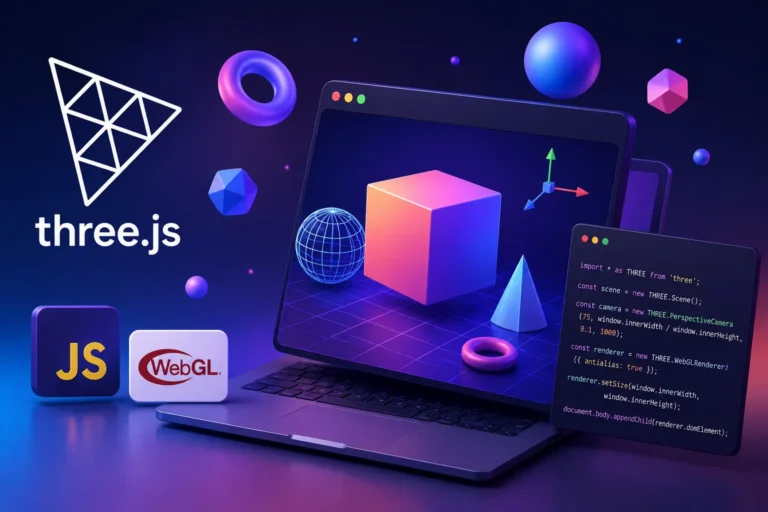
Three.js, an open source JavaScript library, is a powerful tool that makes accessible to everyone with 3D graphics and animation creation for the web. Born from the WebGL (Web Graphics Library) standard, Three.js abstracts the complexities of WebGL programming and provides a user friendly interface to craft stunning visual experiences in real time.
Key Features and Benefits
Cross-Platform Magic : Three.js brings its magic to a multitude of devices and browsers, ensuring seamless experiences for users across varying platforms.
Simplicity at its Core: With an intuitive API, Three.js serves as a bridge between developers and intricate graphics programming, making 3D creation accessible even to those with limited experience.
Interactivity Amplified : The library helps developers to construct interactive 3D worlds that can be explored, manipulated, and navigated. From games to simulations, product showcases, architectural walkthroughs, and beyond—the possibilities are endless.
Rendering Brilliance : Three.js optimizes rendering performance, ensuring fluid visuals even on devices with modest computational power, without compromising on quality.
Artistic License : The library provides an array of materials, textures, lighting options, and camera controls, helps developers to unleash their creativity and sculpt scenes that resonate with their vision.
Three.js vs. Other 3D Web Libraries
Three.js isn’t the only option for bringing 3D graphics to the browser. Here’s how it compares to the alternatives developers most often weigh it against:
| Library | Abstraction level | Best suited for | Learning curve |
| Three.js | High-level wrapper over WebGL | General-purpose 3D scenes, products, games | Moderate |
| Babylon.js | High-level, game-engine focused | Full browser games with physics and audio | Moderate to steep |
| PlayCanvas | Engine + visual editor | Teams wanting a GUI-based workflow alongside code | Low to moderate |
| Raw WebGL | Low-level, no abstraction | Maximum control, custom rendering pipelines | Steep |
| A-Frame | High-level, built on Three.js | WebXR/VR experiences using HTML-style markup | Low |
Three.js tends to win out for teams that want more control than a full game engine offers, without dropping down to raw WebGL and managing shaders and buffers by hand. It sits comfortably in the middle of that spectrum.
Three.js at a Glance
| Attribute | Detail |
| Type | Open-source JavaScript library |
| Built on | WebGL |
| First released | 2010 |
| License | MIT |
| Primary use | 3D graphics in the browser |
| File formats supported | GLTF, OBJ, FBX, STL, and more |
| Rendering modes | WebGL, WebGPU (experimental), SVG (fallback) |
| Package manager | npm, CDN, yarn |
Embarking on the Three.js Journey
To embark on a journey with Three.js, follow these steps:
- Setting the Stage: Incorporate the Three.js library into your project. Whether download or access via a Content Delivery Network (CDN), this forms the bedrock of your 3D initiatives.
- Constructing the Scene: A digital realm hosting 3D objects, cameras, lights, and interactive features for engaging your audience effectively.
- Geometry and Material Play: Add geometric wonders—cubes, spheres, cylinders, and more. Apply materials to these shapes to define their appearance, creating a visual language that speaks to your intentions.
- Camera Chronicles: Position your cameras to govern the view of your scene. If you’re aiming for an immersive perspective or showcasing details, the camera dictates the story you’re telling.
- Illumination Elegance: Illuminate your 3D environment using varied light sources, shaping moods, shadows, and ambiance to portray your envisioned atmosphere.
- The Rendering Act: Invoke the renderer, and let it translate your meticulously crafted scene into a visual spectacle that your audience can behold.
- Interactivity Choreography: Add life to your creation by introducing interactions—mouse clicks, keyboard inputs, touch gestures, that allow users to engage and explore your 3D universe.
Core Building Blocks, at a Glance
The seven steps above walk through the process end to end. It helps to also see the core objects involved side by side, since these are the pieces every Three.js scene is built from, in some combination:
| Object | Role in the scene |
| Scene | The container holding every object, light, and camera to be rendered |
| Camera | Defines the viewer’s perspective — perspective or orthographic |
| Geometry | The shape data (vertices, faces) defining an object’s form |
| Material | Defines how a surface looks — color, texture, reflectivity, transparency |
| Mesh | The combination of geometry and material into a renderable object |
| Light | Illuminates the scene — ambient, directional, point, or spot |
| Renderer | Converts the scene, as seen through the camera, into pixels on screen |
Every Three.js project, from a single rotating cube to a full interactive product configurator, is assembled from some combination of these seven pieces. Once they click conceptually, the rest of the library is mostly learning which properties and methods each one exposes.
Camera Types in Three.js
| Camera type | Use case |
| PerspectiveCamera | Realistic depth, most common choice |
| OrthographicCamera | Flat, non-distorted views — CAD, 2.5D games |
| CubeCamera | Reflections, environment mapping |
| StereoCamera | VR and stereoscopic rendering |
Light Types in Three.js
| Light type | Effect |
| AmbientLight | Uniform light, no shadows |
| DirectionalLight | Sun-like parallel rays |
| PointLight | Radiates from a single point, like a bulb |
| SpotLight | Cone-shaped, like a flashlight |
| HemisphereLight | Sky/ground gradient lighting |
Where Dreams Become Reality: Real-World Applications
The prowess of Three.js extends across various domains:
- Gaming Galaxy: Develop captivating browser-based games enriched with 3D graphics, animated characters, and interactive gameplay, all delivered seamlessly to players.
- E-Commerce Enchantment: Revolutionize online shopping by helping customers to interact and explore products through 3D models, transforming the merchandise display experience.
- Educational Odyssey: Elevate learning experiences through interactive educational tools, simulations, and virtual laboratories, catering to diverse learning styles.
- Entertainment Extravaganza: Immerse audiences in visual narratives, artistic exhibits, and multimedia presentations that surpass traditional 2D visuals.
Performance Considerations for Real Projects
Three.js makes 3D accessible, but “accessible” doesn’t mean performance is automatic — a few considerations matter once a scene grows past a simple demo:
- Polygon count – more polygons equals more detailed model, but this also means more workload for the GPU during each frame; while PC’s GPU can handle a certain load, mobile devices have a considerably lower budget.
- Texture size – large textures eat into the video card’s memory, and unless you’re using some external tools, compressing them to fit the budget while maintaining the needed resolution is an important step that many overlook before the launch.
- Draw calls – each drawn mesh consumes some GPU power, and while the number of polygons is important, a very high amount of draw calls will also cause a significant performance drop; this can be avoided by merging the geometry of different objects where possible.
- Lighting – shadows cast by dynamic lights are very GPU heavy. If possible, use simpler lighting setups and/or shadows from baked lights to reduce this load.
- Level of detail – using LOD models for objects that are far away helps reduce the GPU load, especially in larger scenes with many objects.
None of these need to be solved on day one. But a project that ignores them early tends to hit a performance wall later that’s much harder to unwind than if it had been considered from the start.
How Three.js Is Integrated Into the Contemporary Web Stack
Three.js is seldom used in isolation nowadays; rather it is usually used as a part of a larger ecosystem that includes a compatible JavaScript framework. Furthermore, an aspiring developer should be aware of where exactly Three.js fits in the overall technological stack in order to use it in a production environment.
In particular, Three.js is often used together with React via the react-three-fiber binding. The reason for this is simple: Three.js applications written with it are declarative, as opposed to imperative. In other words, React components can describe what a 3D scene should look like, rather than having to manually update scene objects and the renderer. Other frameworks have their bindings as well, such as TresJS for Vue. This way, the 3D scenes can take advantage of the framework’s features, such as state management, custom hooks, and so on.
The way Three.js projects are being built has changed somewhat over time as well. The de facto standard for building web projects has shifted towards using JavaScript bundlers, rather than including Three.js via a CDN. The reason for this is optimization: while it is convenient to include Three.js via a CDN, it is not optimal, as the library has to be downloaded in its entirety. Bundlers, on the other hand, allow tree-shaking, which results in a smaller file that only contains the features that one actually needs. This is especially important for Three.js, as it is a large library with many features, and a project only needs a subset of these features.
WebGPU is the successor to WebGL, the graphics API that Three.js has been using, and the latter is slowly adopting support for the former. This is not particularly relevant for most Three.js users, as WebGPU is not yet widely adopted and is only available in some browsers, but it is important to understand that WebGL is no longer being developed.
Physics and Three.js: What the Library Doesn’t Do For You
One thing that should be stressed about Three.js is that it is not a physics engine. It can render whatever you tell it to, but it has no concept of gravity, collisions, or rigid bodies. If you want to make things fall down in a physically reasonable way, you either need to calculate their trajectories manually or augment your physics engine of choice with a 3D renderer.
The two physics engines that are most common to use with Three.js are Cannon.js (or its actively developed fork, cannon-es) and the newer Rapier (written in Rust and compiled to WebAssembly for performance). Both of them work more or less similarly in that they have their own physics simulation running in parallel with whatever you are doing in Three.js, calculating transformations of rigid bodies every frame. Then, Three.js has to read those positions and apply them to meshes in sync with the physics simulation. It’s not a built-in feature, because it’s much better to make physics and rendering run in parallel, using whatever rendering and physics algorithms you need for your particular case, rather than baking physics calculations into a renderer. But this does mean an additional library and some extra code for a project that needs more interesting physics than a simple scripted animation can provide.
Loading External 3D Models
Most real-world Three.js projects involve loading in 3D models created in external programs (Blender, Maya, etc.) rather than simply creating primitive shapes like cubes and spheres. The preferred format for this is GLTF, which is much more efficient and designed specifically for use on the web, as opposed to older formats like OBJ or FBX which are meant for editing in 3D software and not optimized for the web.
Three.js provides a GLTFLoader class that can parse these models and add them to the scene as a scene graph with all of their materials and textures applied, optionally including animations that can be played back using Three.js’s animation API. This means that we can avoid having to make incredibly complex scenes using primitive shapes provided by Three.js, which would be unwieldy at best and impossible at worst to recreate in code.
It’s common for performance-critical applications to take advantage of Draco compression to reduce the size of large geometry-heavy models, at the cost of increased CPU load on the client machine while decompressing the model data.
Conclusion
Three.js is more than a library, Above all a gateway to boundless creativity in web development. Its versatility encompasses everything from the simplest 3D visualizations to complex virtual realities, accommodating a vast spectrum of projects and industries. With robust documentation, an engaged community, and a trajectory of continuous innovation, Three.js remains a cornerstone of contemporary web development. As long as it inspires developers to venture beyond the ordinary and redefine digital experiences. The web has evolved into a new era, where three dimensions breathe life into ideas beyond our previous imagination.
Getting Started: Common Beginner Mistakes
A few patterns show up repeatedly among developers new to Three.js, worth knowing before diving in:
- Forgetting to call the render loop continuously — a static scene renders once and then does nothing; animations and interactivity require a render loop (typically via
requestAnimationFrame) running continuously, not a one-time render call. - Not disposing of unused geometries and materials — in scenes where objects are added and removed dynamically, forgetting to dispose of old resources leads to memory leaks that compound over time.
- Overcomplicating the camera setup early — new developers often jump straight into complex camera controls before understanding basic positioning; starting with a static camera and adding controls afterward is usually the easier path.
- Ignoring the aspect ratio on window resize — a scene that looks correct on load can become distorted if the browser window resizes and the camera’s aspect ratio isn’t updated to match.
- Skipping lighting until “later” — an unlit scene, or one with only ambient light, tends to look flat; even basic directional lighting makes a huge visible difference in depth and realism.
Three.js Learning Resources
| Resource type | Example |
| Official docs | threejs.org/docs |
| Official examples | threejs.org/examples |
| Community | Three.js Discourse forum |
| Courses | Various paid and free video courses |
| Source | GitHub — mrdoob/three.js |
Colophon
It is a sin to leave our reader here without a code to play with. Below is code for a simple rotating cube using Three.js. Copy it into your HTML editor and open it in a browser. You will see the power of this library and how such a small amount of code injects visually appealing animation. Play with the code, make some changes and get used to with this wonderful library.

<!DOCTYPE html>

<html lang="en">

<head>

    <meta charset="UTF-8">

    <meta name="viewport" content="width=device-width, initial-scale=1.0">

    <title>Three.js Animation</title>

    <style>

        body { margin: 0; }

        canvas { display: block; }

    </style>

</head>

<body>

    <script src="https://cdnjs.cloudflare.com/ajax/libs/three.js/110/three.min.js"></script>

    <script>

        const scene = new THREE.Scene();

        const camera = new THREE.PerspectiveCamera(75, window.innerWidth / window.innerHeight, 0.1, 1000);

        const renderer = new THREE.WebGLRenderer();

        renderer.setSize(window.innerWidth, window.innerHeight);

        document.body.appendChild(renderer.domElement);

        const geometry = new THREE.BoxGeometry();

        const material = new THREE.MeshBasicMaterial({ color: 0x00ff00 });

        const cube = new THREE.Mesh(geometry, material);

        scene.add(cube);

        camera.position.z = 5;

        const animate = () => {

            requestAnimationFrame(animate);

            cube.rotation.x += 0.01;

            cube.rotation.y += 0.01;

            renderer.render(scene, camera);

        };

        animate();

    </script>

</body>

</html>