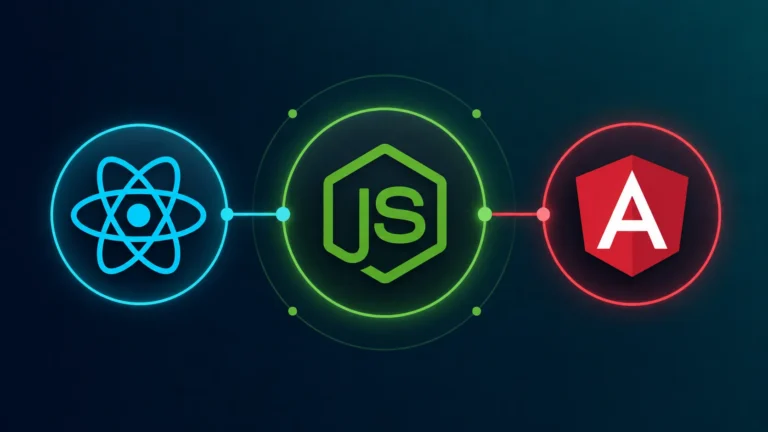
Integrating a Node.js development backend with React or Angular creates a unified JavaScript/TypeScript stack that eliminates context-switching and simplifies full-stack engineering workflows. By pairing Node.js event-driven, non-blocking I/O architecture with client-side reactive components, development teams can construct real-time, low-latency applications. Utilizing Server-Side Rendering (SSR), centralized token authentication, and WebSockets ensures fast rendering speeds, optimal SEO performance, and secure frontend-backend communication.
- 1 Single Language Stack: Use JavaScript across both frontend (React/Angular) and backend (Node.js), simplifying development.
- 2 High Performance & Scalability: Node.js handles concurrent requests efficiently, ideal for real-time web apps.
- 3 Smooth API Integration: Easily build RESTful or GraphQL APIs for seamless communication with frontend frameworks.
- 4 Improved SEO with SSR: Enable server-side rendering with frameworks like Next.js and Angular Universal for faster page loads and better SEO.
- 5 Efficient Deployment: A unified stack simplifies deployment and maintenance processes.
- 6 Real-Time Data Handling: Perfect for chat apps, live dashboards, and similar applications needing instant updates.
- 7 Cross-Platform Development: Use tools like Electron with Node.js to create desktop apps using the same stack.
- 8 Step-by-Step Integration Guides: Easy-to-follow processes for connecting Node.js with both React and Angular frontend projects.
If you want to build a robust application, then seamless integration between the frontend and backend is very important. Node.js has become a better solution for backend application development due to its scalability, efficiency, and non-blocking architecture. They can be well-integrated with popular frontend frameworks like React and Angular. This can help to create high-performance web applications.
Here, you will get better guidance on how node.js is integrated with React and Angular for app development. This will ensure a smooth workflow and effective communication between the frontend and backend of the application.
Why Use Node.js with React and Angular?
Here are a few reasons to use Node.js with React and Angular while providing node.js app development services:
1. Single Language for Backend and Frontend
React, Angular, and Node.js, both of them use JavaScript, which means developers can work on the entire stack using a single language.
2. High Performance and Scalability
Node.js can handle multiple requests efficiently, making it an ideal choice for web applications requiring real-time processing.
3. Seamless API Integration
Node.js works well with frontend frameworks by providing RESTful or GraphQL APIs that frontend applications can consume effortlessly.
4. Easier Deployment and Maintenance
Companies providing Node.js development services benefit from a uniform technology stack, which can help to streamline deployment and maintenance.
5. Efficient Server-Side Rendering (SSR)
With frameworks like Next.js (React) and Angular Universal, Node.js will enable server-side rendering. This will help to improve the SEO and page load speeds of the application.
6. Real-Time Data Handling
Node.js excels in real-time applications like live dashboards, chat apps, and stock trading platforms. This will integrate well with the framework like React and Angular.
7. Cross-Platform Development
Using frameworks like Electron, developers can build cross-platform desktop applications with Node.js. Its ability for cross-platform development can help it to build different types of applications.
Integrating Node.js with React
React is a popular frontend library known for building interactive UIs which is very useful for web development. Below are the steps to integrate React with a Node.js for backend web development:

1: Set Up the Node.js Backend
- Install Node.js and initialize a project.
- Install Express to create an API.
- Create a basic server (server.js).
2: Set Up the React Frontend
- Create a React project.
- Install Axios to make API requests.
- Modify App.js to fetch data from the backend.
3: Run and Test the Integration
- Start the backend server.
- Start the React frontend.
Visit http://localhost:3000 to see the message fetched from the backend.
Integrating Node.js with Angular
Angular is a powerful framework for building dynamic web applications. Below are the steps to integrate it with a Node.js app development service:

1: Set Up the Node.js Backend
Use the same Node.js application development setup from the React integration above.
2: Set Up the Angular Frontend
- Install Angular CLI and create a project.
- Generate a new service for API calls.
- Modify api.service.ts to interact with the backend.
3: Use API Data in a Component
- Modify app.component.ts
4: Run and Test the Integration
- Start the backend (node server.js).
- Start the Angular frontend.
Visit http://localhost:4200 to see the backend response displayed.
Creating the Ultimate App with Node.js along with React or Angular
Integrating Node.js web development with React or Angular enables developers to build efficient, scalable, and high-performance web applications. A node.js app development service provider will ensure its integration with a popular framework. Many companies providing node.js development have successfully leveraged this benefit to provide robust applications. Businesses can look for such expert company to build their robust application.By following the steps outlined in this guide, you can successfully integrate a Node.js app development backend with your preferred frontend framework, enhancing your application’s functionality and user experience.
Advanced API Communication: REST vs. GraphQL Protocols
Connecting a Node.js backend to client-side frameworks requires selecting an efficient data-fetching pattern based on UI requirements:
- RESTful JSON Endpoints: Standard Express.js routes suit predictable CRUD operations and resource-based architectures. Using well-defined HTTP verbs (
GET,POST,PUT,DELETE) alongside structured HTTP status codes (200 OK,201 Created,400 Bad Request,404 Not Found) simplifies route handling and error parsing in both Axios (React) andHttpClient(Angular). - GraphQL Data Layer: Integrating Apollo Server or Yoga with Node.js allows React and Angular components to request exact dataset fields in a single HTTP POST query. This completely eliminates over-fetching and under-fetching issues, reduces payload byte sizes over wire transfers, and optimizes network efficiency for mobile client applications running on constrained bandwidth.
- Unified Payload Validation: Share validation schemas (using libraries like Zod or Yup) across both frontend forms and backend Express middleware to validate request payloads before processing database queries.
State Synchronization & Real-Time Data Streaming Architecture
Maintaining UI responsiveness when processing real-time updates requires establishing event-driven data flows between Node.js and frontend state managers:
- Persistent WebSocket Channels: Establish full-duplex TCP connections via Socket.io. When events occur in Node.js (e.g., database updates or incoming queue messages), the server broadcasts payloads instantly to active client listeners.
- Global State Integration: Dispatch incoming WebSocket events directly into global state stores—such as Redux Toolkit/Zustand in React or RxJS/NgRx in Angular—ensuring UI components update reactively without requiring manual re-renders.
- Reconnection & Fallback Handling: Implement client-side heartbeat checks and exponential backoff reconnection strategies to handle intermittent network drops gracefully without breaking the user session.
Performance Optimization: Bundling, Caching & SSR Strategies
Scaling Node.js apps alongside modern UI frameworks requires minimizing asset delivery overhead and server response times:
- Route-Based Code-Splitting: Leverage
React.lazy()or Angular’s lazy-loaded feature modules to break client bundles into smaller chunks. Users load only the JavaScript required for their active route, lowering initial page load times. - Server-Side Output Caching: Use Redis or in-memory LRU caches within Node.js middleware to store rendered SSR pages or dynamic API responses, serving frequent requests without executing redundant database queries.
- Static Asset Offloading: Serve compiled frontend assets (JS, CSS, images) via a Content Delivery Network (CDN) or Nginx reverse proxy, leaving the Node.js event loop dedicated to processing dynamic API logic and database interactions.
End-to-End Security Practices for Full-Stack JavaScript Apps
Protecting decoupled or SSR-rendered Node.js applications requires layered defenses across both client execution and server endpoints:
- Input Sanitization & XSS Mitigation: Sanitize dynamic data on the backend before returning payloads to prevent Cross-Site Scripting (XSS). Angular automatically sanitizes values, while React requires cautious handling when using
dangerouslySetInnerHTML. - API Rate Limiting: Implement rate-limiting middleware (such as
express-rate-limit) on Node.js API routes to mitigate brute-force attacks, credential stuffing, and Denial of Service (DoS) attempts. - Environment-Based Configuration: Isolate sensitive values—such as database URIs, JWT secrets, and payment keys—in server-side
.envfiles. Ensure secrets are never exposed to client-side bundles or repository version control.