- 1 Extensive Formatting and Customization: React-jodit covers all aspects of formatting tools and differs in the ability to customize the appearance, operation, and behavior of the text editor to specific application requirements for any web developer and designer while ensuring users will find it both easy to use and visually appealing.
- 2 Lightweight and Efficient Performance: This way, react-jodit benefits from React’s Virtual DOM to make fast and efficient HTML rendering; the implementation is lightweight and does not degrade with more complex contents; the result is a positive impact in the overall user satisfaction.
- 3 Cross-Browser Compatibility and Accessibility: In its basic functionality, the react-jodit component provides compatibility with the modern web browsers as it also supports aitma and provides smooth usability for people with different disabilities, so it can be considered as an effective option for a large audience.
Rich text editors have become an inseparable part of the web development services world now and every platform has to ensure that software development companies and users have an interface which is friendly and developed through them this can be useful in Whether you are creating a blog, a content management system, or any app that concentrates on text formatting, a powerful and selectable text editor would be a big deal to any of those. Here comes in react-jodit, a top-class, functionality-oriented React component which gives your React applications the Jodit text editor which is very famous for high performance.
What is react-jodit?
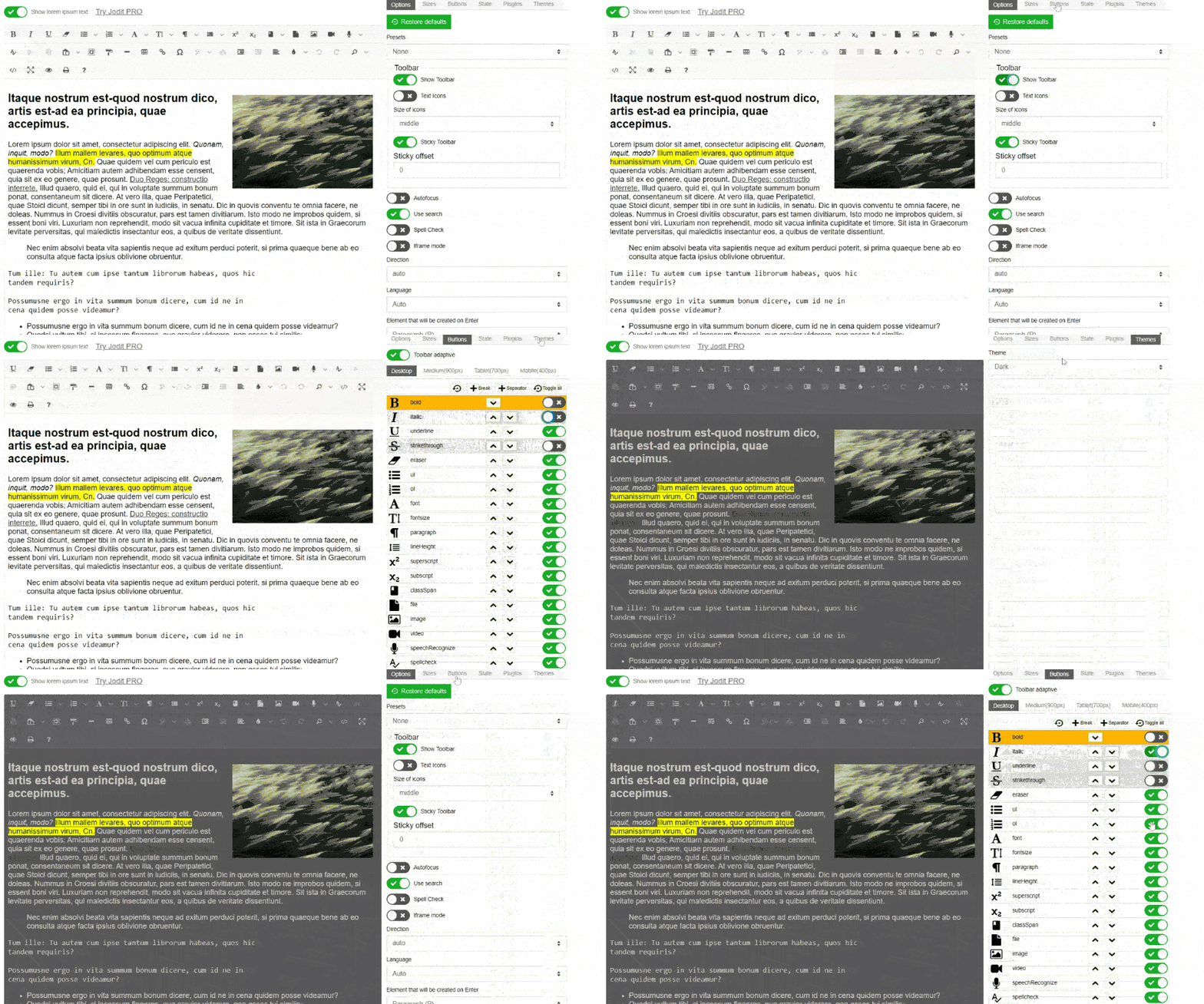
React-jodit is the reusable and customizable component of React with a built-in Jodit text editor. It makes possible a smooth bond Jodit editor with your React components and so you will take maximum advantage of the comprehensive variety of its features and customization options. A text editor such as jodit can be taken into your application and easily implemented without losing on any of the range of formatting tools and function which it provides to your end-users and cross platform app development services
Key Terms Before You Start
A few terms come up repeatedly in react-jodit documentation and configuration — worth having straight before diving into setup:
| Term | What it means |
| Jodit Core | The underlying vanilla-JS editor engine that react-jodit wraps for React use |
| Toolbar XML | The config array (toolbarButtonsXml) that controls which formatting buttons appear and in what order |
| Uploader config | The settings block controlling how images/files are handled — base64 inline vs. server upload |
| Ref | The React ref used to access the editor instance directly for imperative actions (focus, get value, etc.) |
| Readonly mode | A config flag that renders the editor content as view-only, useful for previews or permission-gated editing |
| Source mode | A toolbar option letting users view/edit the raw HTML behind the formatted content |
Having these terms clear up front makes the configuration examples later in this article easier to follow without needing to cross-reference the Jodit core docs constantly.
react-jodit vs. Other Popular React Rich Text Editors
Before committing to react-jodit, it’s worth seeing how it stacks up against the other editors developers commonly weigh it against:
| Editor | Bundle size | Customization depth | Markdown support | Learning curve |
| react-jodit | Moderate | High | Built-in | Moderate |
| React Quill | Lightweight | Moderate | Requires plugin | Low |
| Draft.js | Lightweight (core) | High, but manual | Requires custom setup | Steep |
| TinyMCE (React wrapper) | Heavier | High | Requires plugin | Moderate |
| CKEditor 5 (React) | Heavier | High | Requires plugin | Moderate |
The general pattern: react-jodit sits in a solid middle ground — more configurable out of the box than React Quill, but with a gentler setup curve than Draft.js, which hands you more raw control at the cost of building most of the editor’s behavior yourself.
Advantages of using react-jodit:
- Extensive Formatting Capabilities: the software responds to all formatting needs – from bold, italic, underline using different font styles and sizes to different text colors – and so on. Moreover, it contains more sophisticated features for example, you can add code highlighting, insert an image and create a table.(custom enterprise software development, healthcare software development)
- Customizable and Extensible: The ability of react-jodit to be configured in a way that best suits your needs is one of the most considerable features of this editor. It is fairly straightforward to make appropriate settings for editor’s look and personality, as well as any functions that the user may need, based on your app specifications. On top of that, the extension facilitates custom plugins, which will put even more tools at your disposal.
- Efficient and Lightweight: Although the plugin does great work, it is sophisticatedly rigged and this also means that it is pretty lightweight and fast. It all utilizes Virtual DOM technology backed by React for highest HTML rendering speeds – and you can edit even in the most complex cases, always expecting a great result.
- Cross-browser Compatibility: The fundamental library of a Jodit editor has been created with the browser compatibility in mind and, thus, provides the consistent behavior and rendering for the different modern web browsers currently available on the market.
- Accessibility Support: the react-jodit component follows the accessibility rules, giving a chance for users with disabilities or any special needs to have a compliant and user-friendly experience.
When to Use react-jodit Is (and Isn’t) Right for You
Not every text-editing use case needs the same tool. A few scenarios where react-jodit tends to make sense:
- Content management systems where non-technical users need a familiar, Word-like editing experience with visible toolbar buttons.
- Blogging platforms where formatting flexibility (tables, images, code blocks) matters more than a minimal footprint.
- Internal admin tools where development speed matters more than shaving every last kilobyte off the bundle.
And a few scenarios where it’s probably not the best pick:
- Extremely bundle-size-sensitive apps where every kilobyte counts, since react-jodit’s fuller feature set does add some weight compared to bare-bones editors.
- Chat or comment interfaces needing a lightweight, single-line-focused input — something like React Quill in minimal mode is usually a better fit.
- Highly custom editing experiences where the toolbar and behavior need to be built from scratch — Draft.js or Slate.js give more granular control at the component level.
Installation and Setup:
To get started with jodit-react, you can install it via npm or yarn:
npm install jodit-react --saveOr
Yarn add jodit-reactOnce installed, you can import the JoditEditor component into your React component and use it like any other React component:
Basic Usage:
import React from 'react';
import JoditEditor from 'react-jodit';

export const RichTextEditor = () => {
  const editor = React.useRef(null);
  const [content, setContent] = useState("");

  return (
    <JoditEditor
      ref={editor}
      value={content}
      onBlur={(content) => setContent(content)}
    />
  );
};
In the example above, content is the initial value of the editor and setContent updates the value of content when blur.
Customization:
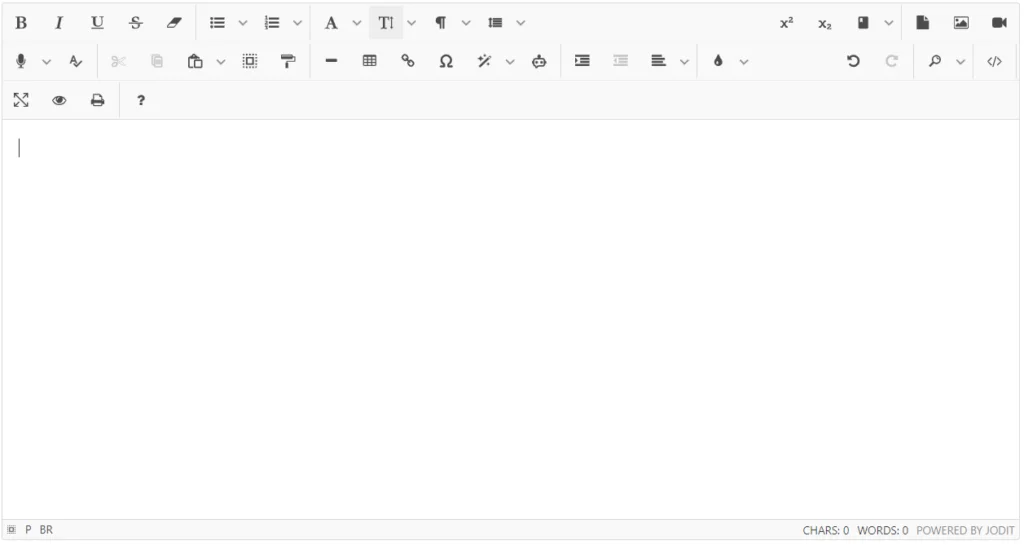
Here you can customize the default styling using a config object.
Code Snippet: Customizing the Editor One of the key advantages of react-jodit is its extensive customization capabilities for creating custom software for business,. Here’s an example of how you can configure the editor’s toolbar and other options:
import React from 'react';
import JoditEditor from 'react-jodit';

export const MyEditor = () => {
  const editor = React.useRef(null);
  const [content, setContent] = useState("");
  const config = {
    readonly: false, // Allows editing
    toolbar: true, // Show toolbar
    toolbarButtonsXml: [
      // Customize toolbar buttons
      'source',
      '|',
      'bold',
      'strikethrough',
      '|',
      'fontsize',
      'brush',
      '|',
      'align',
      '|',
      'link',
      'file',
      'image',
      '|',
      'table',
      '|',
      'undo',
      'redo',
    ],
   };

  return (
    <JoditEditor
      ref={editor}
      value={content}
      config={config}
      onBlur={(content) => setContent(content)}
    />
  );
};
Handle Event
Furthermore you can customize the react editor for your ease.
You can customize other features as well such as image uploader settings, and event handlers. You need to add in your config
const config = {
    readonly: false,
    uploader: {
      // Configure image uploader
      insertImageAsBase64URI: true,
    },
    events: {
      // Handle editor events
      beforeSetMode: mode => {
        console.log('Editor mode is changing to:', mode);
      },
      paste: () => {
        console.log('Handle paste');
      },
    },
  };
In the above example we configure certain attributes of the editor, for example, the button list of the toolbar. It follows from this that the level of customization enables one to personalize the editor to one’s special requirements and needs.
Common Setup Issues and How to Avoid Them
A few problems come up often enough during react-jodit setup that they’re worth flagging ahead of time:
| Issue | Likely cause | Fix |
| Editor re-renders and loses cursor position | value prop tied directly to state on every keystroke | Use onBlur instead of onChange for state updates, or debounce |
| Toolbar buttons missing after custom config | toolbarButtonsXml overwrites defaults instead of extending them | Explicitly list every button needed, including ones you assumed were default |
| Images not persisting after page reload | insertImageAsBase64URI used without a proper upload handler | Connect the uploader config to an actual backend endpoint instead of relying on base64 alone for production |
| Editor doesn’t render inside modals | Editor initializes before the modal’s DOM node is mounted | Delay editor mount until the modal’s ref is confirmed available |
Most of these aren’t bugs in react-jodit itself — they’re common mismatches between how React’s render cycle works and how Jodit expects to manage its own internal DOM state.
Accessibility considerations worth double-checking
While jodit core has been built with a good baseline level of accessibility in mind, there are a few things that are worth verifying manually instead of relying on defaults:
- Keyboard navigation — verify that all buttons in the toolbar can be tabbed to and activated with the Enter/Space keys as well as being clickable with the mouse, especially if you’ve added any buttons to the toolbar yourself
- Screen reader labeling — while most icon buttons in the default toolbar have ARIA labels, any plugins or buttons you add yourself will need those labels added manually
- Contrast of custom themes — if you’re overriding the default theme with your own CSS, be sure to check that the contrast of the toolbar icons and text against your background colors meets WCAG standards, since doing so with a broad CSS override is surprisingly easy to accidentally do wrong
- Focus management in modals — if you’re using the editor in a modal dialog of any sort, make sure focus is trapped inside the modal and released back to the expected element when it closes
None of these require any special tools to check, just a keyboard, and a quick trip through the toolbar to see what happens when you Tab through the various controls.
Why jodit-react over other editors?
Seamless React Integration
react-jodit is a very particular react component that is suitable for this editor, if you want a direct connection with a React app, and that is for all react apps in general.
Lightweight and Efficient
However, what makes react-jodit truly stands out is that it doesn’t sacrifice performance at all since it is designed to be lightweight. It takes react’s lightweight virtual DOM implementation into account for optimal performance that gives the user a smooth response even with thousands of pieces of information to handle.
Cross-browser Compatibility
The base for further interaction is provided by the central Jodit editor which is implemented considering the issue of cross-browser compatibility and the need to provide a seamless behavior and visualization of the editor across multiple modern browsers.
Markdown Support
Concerning the markdown support of your application, react-jodit has markdown editing and rendering already built-in functions, which means that your context becomes markdown within the rich text editor.
Feature Checklist: What react-jodit Supports Out of the Box
A quick reference for evaluating whether react-jodit covers what a given project needs, without digging through every config option individually:
| Feature | Supported out of the box |
| Bold, italic, underline, strikethrough | Yes |
| Font family and size controls | Yes |
| Text and background color | Yes |
| Tables | Yes |
| Image insertion (base64 or upload) | Yes |
| Code block / syntax highlighting | Yes |
| Markdown import/export | Yes |
| Undo/redo history | Yes |
| Custom plugin support | Yes, via Jodit plugin API |
| Real-time collaborative editing | No — requires third-party integration |
| Built-in spellcheck UI | Partial — relies on browser-native spellcheck |
| Mobile touch optimization | Partial — usable but not purpose-built for mobile |
This kind of checklist tends to save time early in a project — it’s often faster to rule out a tool for a missing feature (like real-time collaboration) than to discover the gap halfway through integration.
Disadvantages and Limitations:
Even though react-jodit is a strong and feature rich text editor, as I had mentioned earlier in the previous paragraphs, its limitations and weaknesses need to be considered as well.
- Learning Curve: It’s easy integration, however, configuring and adjusting to react-jodit can have moderate learning curve that headlines for advanced cases or custom plugin development.
- Dependency Management: react-jodit is backed by the Jodit editor you manipulate it time on time to gain compatibility and protection.
- Limited Community Support: When you compare the react-jodit with more renowned rich text editors, you will likely come across the community is rather lacking that may culminate in scarcity of resources, documentations and third-party plugins.
- Potential Performance Concerns: Although react-jodit is in an effort to leverage minimal requests, the performance of this library can still be low, be it under the case where the content is extremely large or complex, on lower-end devices or older browsers.
Instead of these barriers react-jodit can serve as a superb choice with the rich tool set for react applications that need an excellent rich text editor.
Tips for Enjoying react-jodit More
A few tips for using the library and making fewer mistakes while working with it:
- Pin the version of the Jodit core along with the version of react-jodit in the package.json file since the core is used as a dependency and an unexpected update may break the toolbar buttons.
- Use a server-side filter for HTML that may come from the editor since the ability to edit HTML directly (the ‘source’ toolbar button) may be a security vulnerability for some applications.
- Do not eagerly load the component if it is not going to be used immediately (e. g. when it is only needed in one place like the content page). It is not the lightest component in a React application, so it should be lazy-loaded until the first render occurs.
- Do not mix application logic and code for the plugins for the editor, since they tend to change between versions of the Jodit core more frequently than the public API of the library.
Conclusion
The react-jodit is an editable text with a rich set of features and a flexible editing component suitable for all of React applications for cross platform app development services. It has among its menus, countless formatting facilities, customisation level and the powerful performance too. With these features, developers can easily build user friendly text editing experiences. If you have plans to create a blogging platform, content management system, or some other application that needs a powerful text editor, react-jodit certainly comes to the top of your rating list. You can also take advantage of the app’s robust features and editing customizations to make text editing that is elegant and nicely crafted and, therefore, improve the user experience of your application.
To learn more about Spring and Spring JPA and its capabilities, check out Spring JPA’s official website .
For additional insightful articles and information on custom software development services, please reach out to us.