If you’re building a React app and shipping JavaScript to the browser, anyone with DevTools open can read your code. Obfuscating your JS before production doesn’t make your app invincible, but it raises the bar high enough to protect your business logic, deter casual thieves, and buy time against more serious threats. Pair it with PurgeCSS to strip dead styles, run both as post-build scripts, and you’ve got a leaner, harder-to-crack bundle — without changing a single line of your actual application code.
- 1 Enhanced Security: When applied to React projects for example, obfuscation is the process by which JavaScript code is scrambled in a way that is difficult for anyone with malicious intention to understand and or alter hence improving the security and reducing chances of having someone else steal your idea.
- 2 Streamlined Integration: The process involves using tools such as PurgeCSS to help remove all the unused CSS, and JavaScript Obfuscator to help secure the code, hence making the production build of React applications to be clean, optimized, and secure.
- 3 Robust Protection: IT modernization today in using obfuscation in the React development workflow enhances applications to resist reverse engineering and exploitation hence maintaining code confidentiality in the current world.
In the realm of web development, ensuring the security of applications built on React.js is paramount. As the popularity of React continues to soar, so does the need to safeguard sensitive codebases from potential threats and vulnerabilities. One powerful tool that developers can utilize to enhance React security is obfuscate JS. By obfuscating JavaScript code, developers can obscure its logic and structure, making it challenging for unauthorized users to understand and manipulate. In this blog, we delve into the concept of using obfuscate JS to strengthen React security. We explore how this technique works, its benefits in protecting against unauthorized access and intellectual property theft, and practical considerations for implementing obfuscation techniques in React projects. Join us as we uncover the importance of obfuscate JS in fortifying the security posture of React applications.
We are starting with the problem statement as well as setting up the solution:
Initial Requirements
– Latest NodeJS and NPM
Latest start with setting up application:
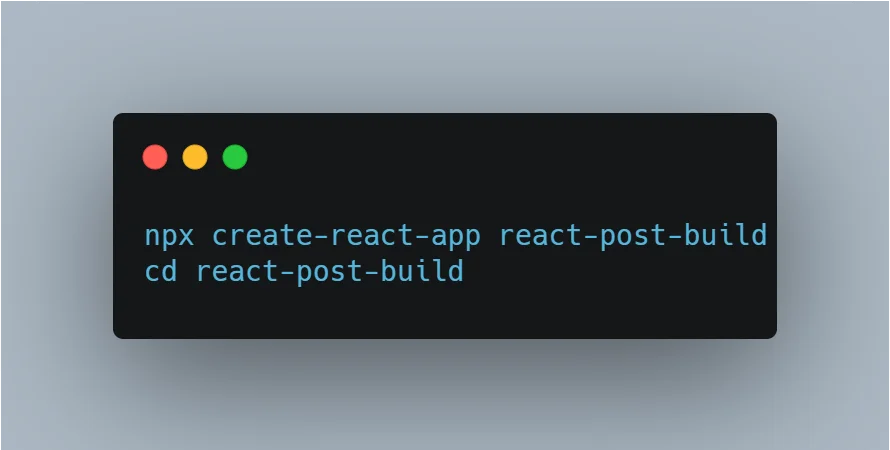
Create React Application:
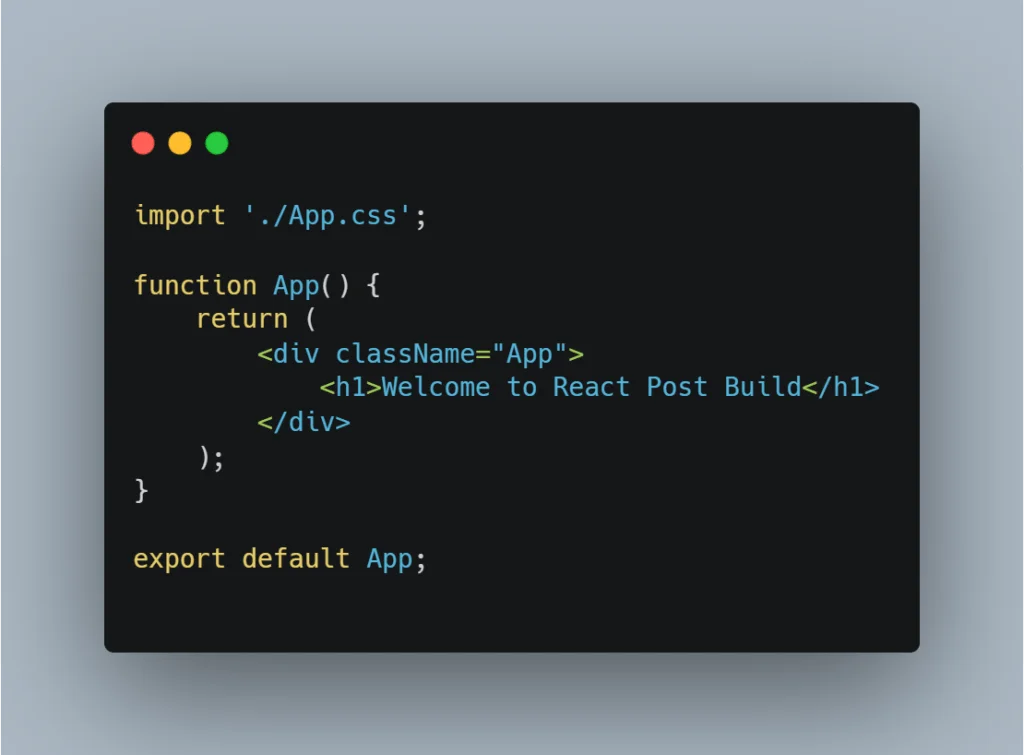
Update the ‘App.js’ with simple addition of h1 tag:
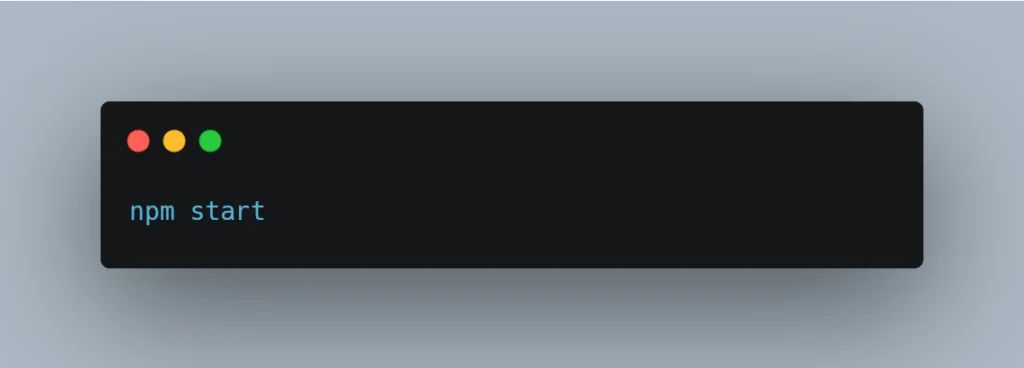
Start React Project:
Install Bootstrap framework:
Execute the following npm command to install the Bootstrap and icons.
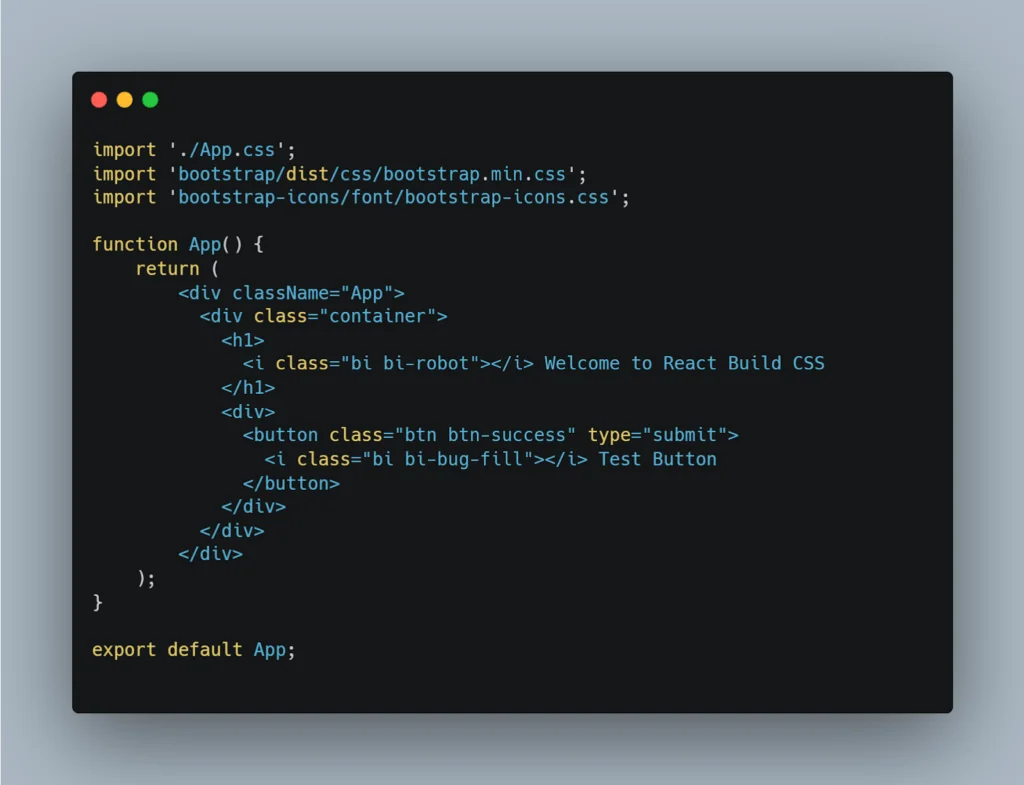
Configure Bootstrap with Application:
Import Bootstrap CSS and apply classes to HTML.
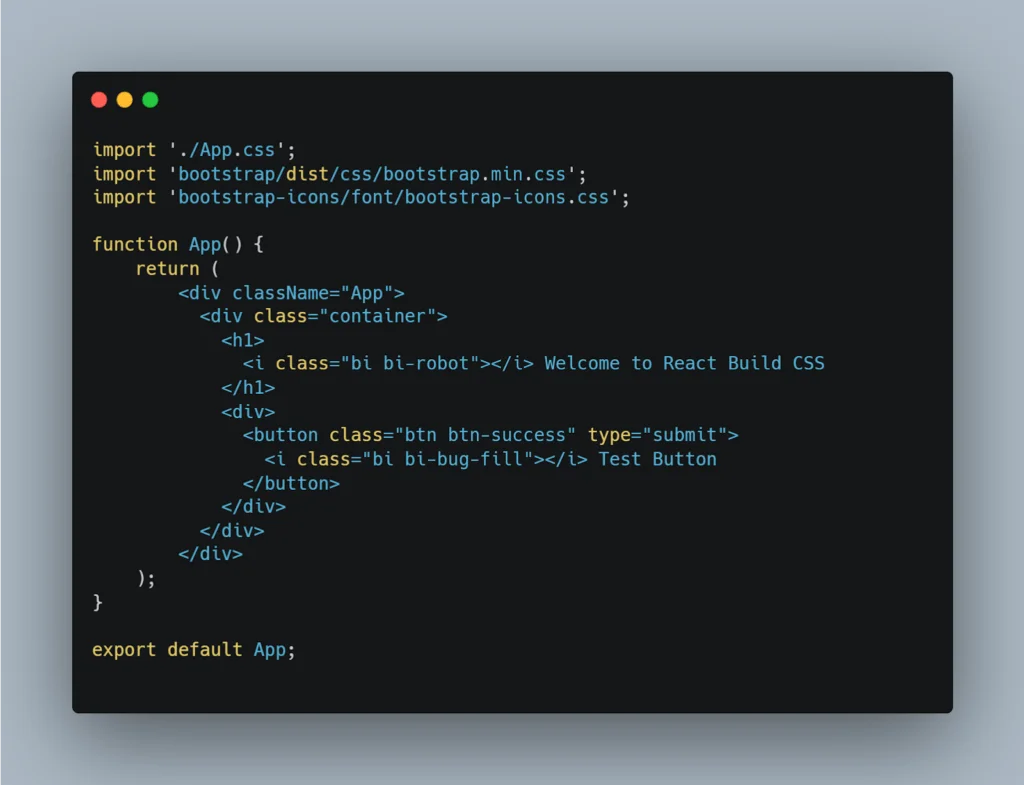
Remove Unused CSS:
We are going to implement this with the production build process.
PurgeCSS:

purgecss.js
Create an external script file, here the following script analyzes the build folder and minimizes the CSS file. Create a scripts folder under the project src directory.
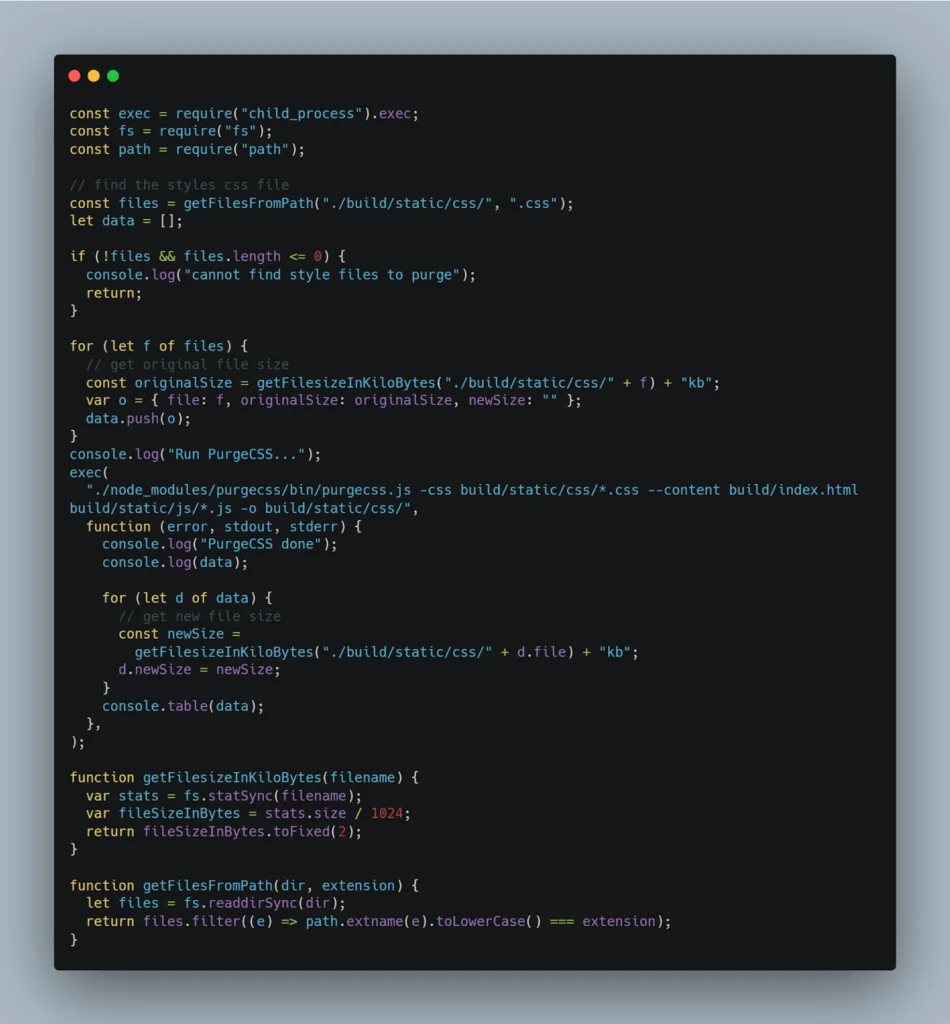
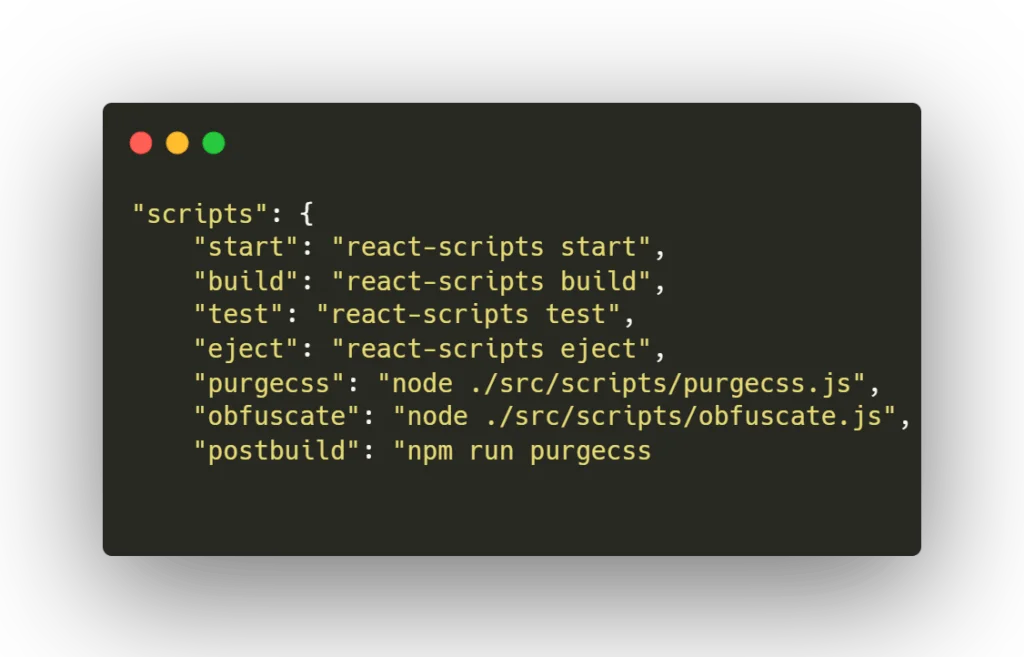
package.json:
Update the package scripts and include ‘purgecss’ command with the build command.
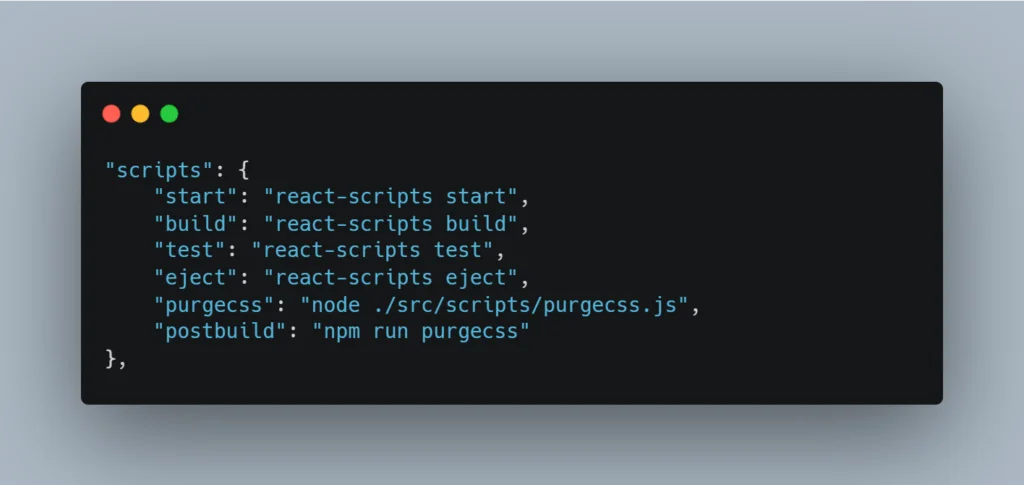
Build Project:
Now the following command will execute the project build with purge CSS commands.
| npm run build
After the application build, this will remove the unused CSS and creates a new small CSS file.
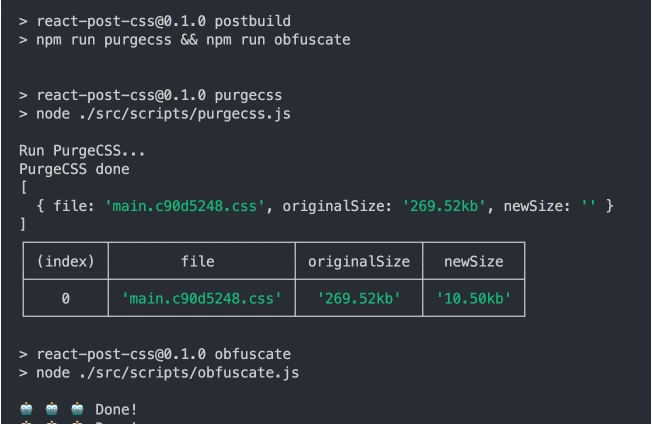
Obfuscate JavaScript:
Obfuscate JS tool converts code to a cryptic format, enhancing security by making it difficult to copy and steal. Protect your source code with obfuscate JS, deterring unauthorized access and protecting intellectual property.
Install Javascript Obfuscator:
Include javascript-obfuscator plugin in dev dependencies to obfuscate js.
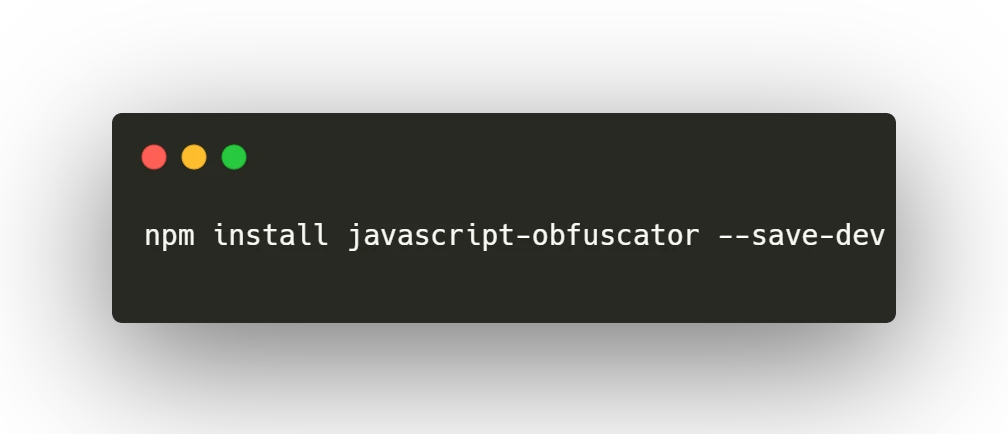
obfuscate.js:
External executable files and analyze the build files and convert all of the JavaScript files. Copy this file under the application src/scripts folder.

Final package.json:
Combine all the external scripts and include the post-build command.
Note: If you are using a translated language file, don’t include any CSS styles. Purge CSS analyzes only JS and HTML files.
Why Shipping Raw JavaScript to the Browser Is a Bigger Risk Than Most Developers Realize
Here’s something that trips up a lot of developers early in their career: React feels like a backend framework because of all the tooling around it — Webpack, Babel, Node, npm — but at the end of the day, everything you write ends up as plain JavaScript sitting in a browser tab.
Open Chrome DevTools right now on any unprotected React app. Hit the Sources tab. You’ll see component names, API endpoints, business logic, sometimes even hardcoded keys left behind from a rushed deployment. That’s not a hypothetical — it happens constantly in production apps.
The reason this matters more for React than older server-rendered apps is that React pushes logic to the client by design. Routing decisions, conditional UI based on user roles, form validation rules — all of it lives in that JS bundle. Without obfuscation, you’re essentially publishing a readable blueprint of how your application works.
What Obfuscation Actually Does Under the Hood (Plain English Version)
Let’s be honest — “obfuscation” sounds more complicated than it is. At its core, a JS obfuscator does a handful of very specific things to your code:
Variable and function renaming is the most basic step. Your clean, descriptive function called calculateUserDiscount() becomes something like _0x3f2a(). Anyone reading the output has no idea what that function does without spending hours tracing it.
String encryption takes readable text values inside your code — think error messages, API route names, config flags — and converts them into encoded representations that only decode at runtime. So "/api/users/profile" might become a hexadecimal blob that resolves to the same string when the code actually runs, but looks like gibberish in the source file.
Control flow flattening is where things get really interesting. The obfuscator restructures your logical if-else chains and loops into a state-machine-style format that’s nearly impossible to follow linearly. The code still runs the same way — it just reads like a maze.
Dead code injection adds fake, never-executed code blocks to confuse anyone trying to reverse engineer your logic. It’s the JavaScript equivalent of a decoy door.
None of this changes your app’s behavior. From a user’s perspective, everything works exactly the same. The difference is purely in what a would-be attacker sees when they crack open your bundle.
Obfuscation Is Not Encryption — Understanding the Difference Matters for Your Security Strategy
One of the most common misconceptions I see in developer forums is treating obfuscation and encryption as the same thing. They’re not, and mixing them up can give you false confidence.
Obfuscation is about making code hard to read, not impossible to read. A determined, experienced engineer with enough time can deobfuscate your bundle. There are tools that do exactly this. It’s not magic, and it’s not a permanent wall.
So why bother? Because security is about cost-benefit analysis, not perfection. Obfuscation raises the effort required to steal your code from “three minutes in DevTools” to “potentially days of reverse engineering.” Most attackers are opportunistic – they’ll move on to easier targets rather than sink days into cracking a single app.
Real-World Scenarios Where React Obfuscation Has Saved Businesses
You might be wondering if this is all theoretical. It isn’t. Let me walk through some real categories of situations where obfuscation has made a meaningful difference.
SaaS Startups with Novel Algorithms: A bootstrapped fintech startup spent 18 months building a risk scoring algorithm that lived partially in their React frontend for speed. Without obfuscation, a competitor would have needed one developer and an afternoon to understand the logic well enough to replicate it. With obfuscation, that same logic becomes a significant reverse engineering project — enough friction to protect their competitive advantage during a critical growth phase.
Licensing and Trial Enforcement: Some React apps implement usage limits, trial expirations, or feature flags on the client side. Yes, server-side enforcement is better — but not every team has the resources to rebuild their entitlement system overnight. Obfuscating the client-side check buys time and raises the skill bar required to bypass it.
White-Label Product Protection: If you’re building a product that gets reskinned and sold to multiple clients, your core code is literally your business. Obfuscation makes it significantly harder for a client to take your bundle, strip your branding, and deploy it independently.
Gaming and Interactive Applications: React-based games or interactive experiences often contain scoring logic, level unlock conditions, or reward algorithms on the client side. Obfuscation stops players from trivially reading and gaming these systems.
In every one of these cases, obfuscation isn’t the only security measure — but it’s a meaningful one that’s cheap to implement.
Conclusion
In conclusion, leveraging obfuscate JS in React projects offers a robust strategy to bolster security measures. By transforming JavaScript into a cryptic format, obfuscation deters unauthorized access and safeguards intellectual property. This practice enhances the resilience of React applications against potential threats, making it challenging for adversaries to reverse engineer or exploit vulnerabilities. As a result, integrating obfuscate JS into the development workflow stands as a dynamic measure to reinforce React security, ensuring the integrity and confidentiality of codebases in an forever changing digital landscape.
For additional insightful articles and information on custom software development services, please reach out to us.