- 1 User-Friendly Interface: Ensures ease of use for learners and educators of all skill levels.
- 2 Customizable Learning Paths: Enables personalized learning experiences using AI and adaptive features.
- 3 Multimedia Content Support: Enhances engagement through videos, quizzes, and interactive content.
- 4 Real-Time Communication: Encourages collaboration with live chat, forums, and video tools.
- 5 Advanced Assessment Tools: Supports auto-grading, detailed analytics, and secure data handling.
- 6 Data Privacy & Security: Implements role-based access and encryption to safeguard sensitive information.
- 7 Cloud-Based & Scalable: Offers 24/7 access, seamless updates, and growth-ready infrastructure.
- 8 Mobile Compatibility: Meets modern demands with responsive design and mobile app access.
The education sector is undergoing a big transformation, driven by technology for optimizing learning environments. The use of educational software can be seen successfully in most forms of education. Whether for schools, colleges, skills, or corporate training, educational software will be at the core of learning.
Successful education software solution development has the ability to address the real challenges faced by learners, educators, and administrators alike. To remain competitive education software strategy must include features that improve engagement and ensure scalability. Here, we will look at some important features every educational software should have.
What are the Important Features of Every Educational Software?
While some educational software are used for providing tutorials, others sell courses from different trainers and organizations. However, following are some of the features your educational software must have irrespective of the services you provide at the core:
1. User-Friendly Interface
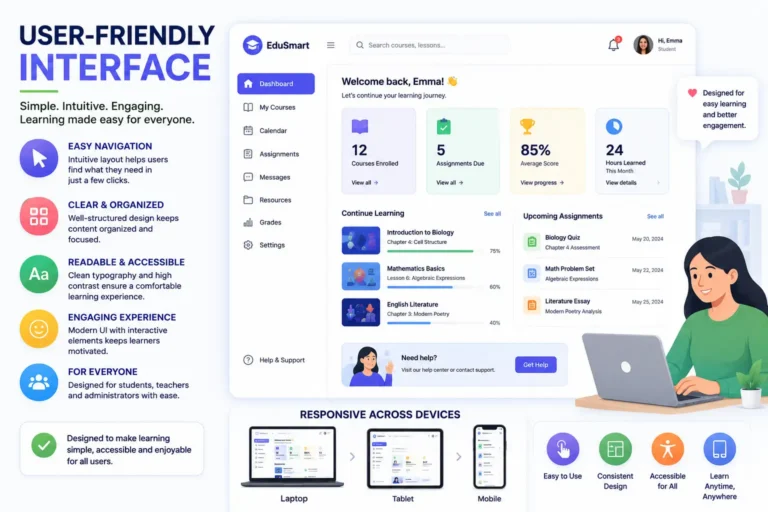
An intuitive and easy-to-navigate interface is essential for both students and instructors. Regardless of age or technical skill level, users should be able to access assignments, content, and tools easily without steep learning easily.
In custom education web app development, user experience should be given priority. A proper design will ensure that users can spend more time learning and less time understanding the platform.
2. Customizable Learning Patterns

Every student learns differently. Good software lets teachers build learning paths that match a student’s pace, strengths, and weak spots.
Common tools for this include:
- Branching modules that adjust based on student choices
- Adaptive quizzes that get harder or easier depending on performance
- AI-driven recommendations that suggest what to study next
This matters most for online platforms, where students often work alone and move at their own speed.
3. Multimedia Content Support
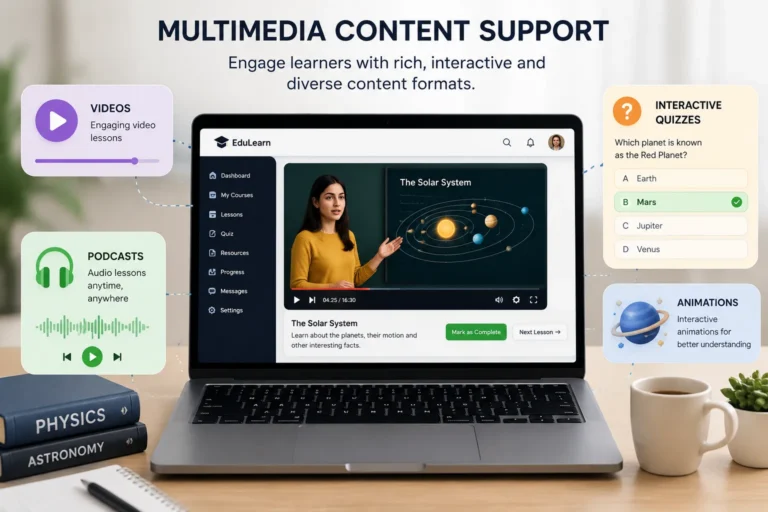
Modern learners expect content should be engaging and multi-sensory. Better support for animations, videos, podcasts, and interactive quizzes will help to cater to different learning ways. Video-based learning is very effective in retaining attention and increasing comprehension.
4. Real-Time Communication Tools
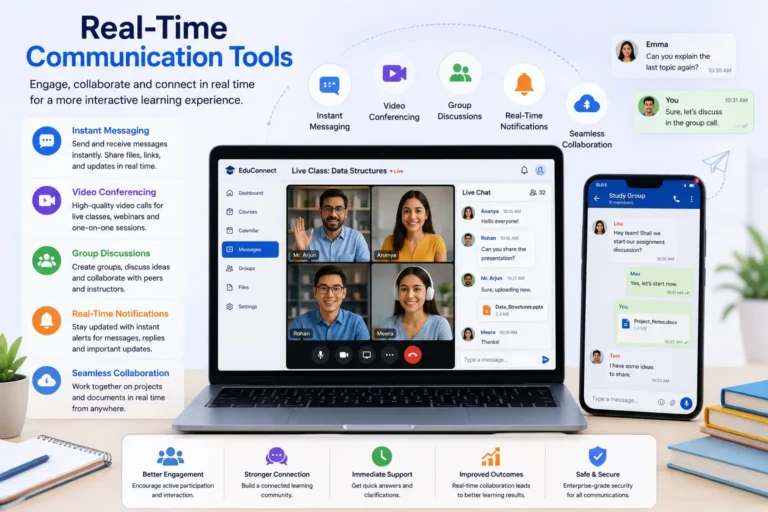
Features like live chat, discussion forums, and video conferencing allow for collaboration. Different tools support synchronous and asynchronous learning, making cloud-based learning more interactive. Seamless integration of tools like Zoom or Microsoft Teams during platform development can be useful for personal learning.
5. Better Assessment and Reporting Tools
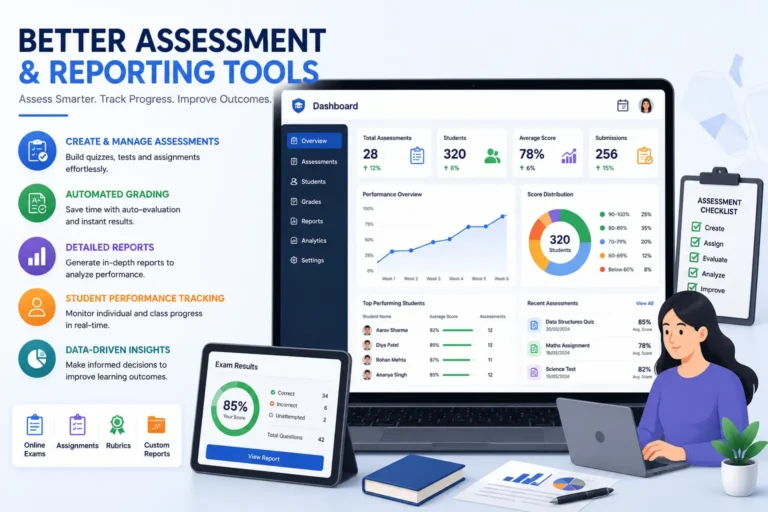
Testing and grading are core to any learning platform. Look for:
Attendance and engagement reports to help staff make better decisions
Auto-grading to save teachers time
Secure logins and access controls — especially important for school-wide systems
Analytics dashboards that show how individual students and whole classes are doing
6. Data Management and Privacy
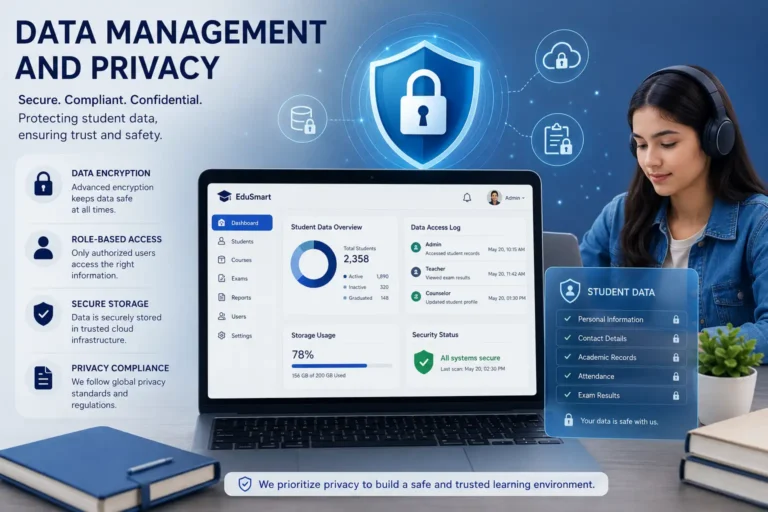
Security is important in education software solution development. Protecting sensitive information like exam results, student data, and personal records should be on top priority. Features like role-based access and encrypted communication must be important.
7. Cloud-Based Access and Scalability
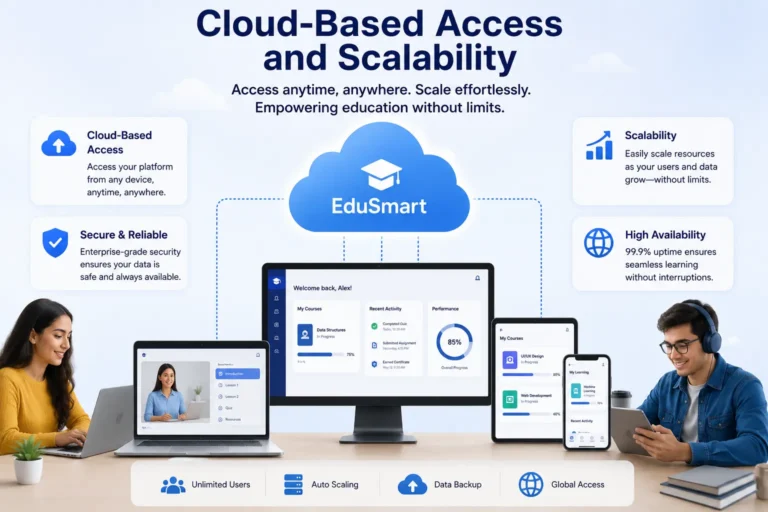
One of the most transformative trends in education is cloud-based learning. Software hosted on the cloud ensures 24×7 access across different devices. It must also support backups, automatic updates, and easier scalability. Scalable infrastructure is important in app development for institutions expecting rapid growth.
8. Mobile Learning Compatibility
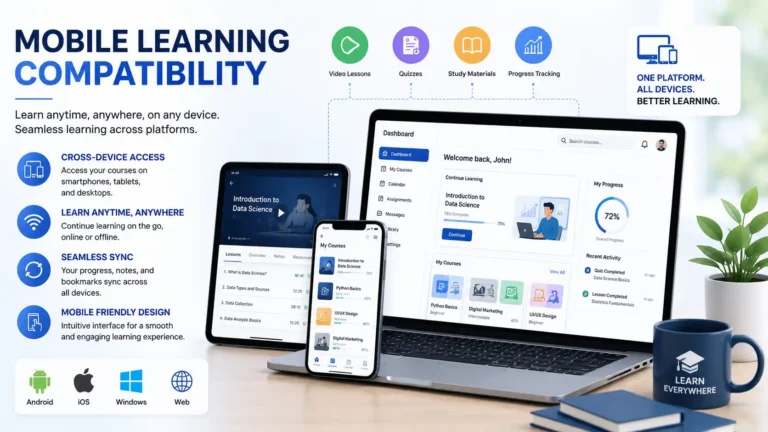
The use of smartphones and tablets is ever-increasing, so educational software must be fully responsive or come with dedicated mobile apps. For e-learning solutions, this feature is important to meet the demands of modern learners, especially those in remote areas.
9. Integration With Existing Education Systems
Most schools and organizations already run other software — for payments, attendance, or student records. New educational software shouldn’t force them to start over.
APIs make this possible. They let different systems talk to each other. For example:
- Course enrollment data can sync with a student records system.
- Payments can flow through an existing finance platform.
This keeps the learning curve low. Staff and students can keep using tools they already know, while still getting the benefits of the new software. Planning for this early — not after launch — saves time and money later.
10. Accessibility for Different Learners
Every learner is different. Some have different devices, skill levels, or learning styles. Good software plans for this from the start.
Features that help include:
- Simple, readable text
- Video transcripts
- Keyboard shortcuts
- Clear, intuitive navigation
The goal is to remove barriers, not add them. Students should be able to focus on learning — not on fighting the software. This matters even more for online learning, since students log in from many different devices and places. Building with accessibility in mind from day one is far easier — and cheaper — than trying to add it later.
11. Role-Based Features for Different Users
Not everyone using the software needs the same tools.
- Students need courses, assignments, grades, and messaging.
- Teachers need tools to build courses, grade work, and track performance.
- Administrators need the big picture — all users, all courses, all activity.
Giving each group the right access keeps things simple and secure. It also protects privacy, since people can only see the data relevant to their role. As a platform grows — say, from a small classroom tool to a university-wide system — more roles usually get added over time.
12. Offline Learning and Reliable Access
Not every student has steady internet access, especially in remote areas or on limited data plans. Software should still work when the connection drops.
Useful offline features include:
- Downloadable lessons
- Offline video access
- Downloadable reading materials
Once the student reconnects, their progress can sync automatically. Not every feature can work offline — that depends on how the software is built — but even partial offline support makes a platform far more accessible
13. Analytics That Help Improve Learning Outcomes
Data is only useful if people can act on it. Good analytics tools go beyond raw numbers — they help teachers and administrators make real decisions.
For example:
- A teacher might spot a group of students struggling with one specific topic.
- An administrator might notice a drop in course completion rates.
Either way, the data points to a clear next step — more support, a curriculum change, or something else. To be useful, analytics need to be simple and well-organized, not buried in numbers nobody has time to dig through. Done right, analytics turn the software from just a source of information into a tool that actively improves how people learn.
SCORM, xAPI, and LTI: The Standards Behind Integration
APIs get integration most of the way there, but educational software specifically relies on a handful of standards worth knowing by name. SCORM (Sharable Content Object Reference Model) has been the standard for years for packaging e-learning content so it runs inside any compliant LMS — if the software needs to import courses built elsewhere, or export content other systems can use, SCORM compatibility is usually assumed. xAPI (also called Tin Can API) extends that idea to track a wider range of learning activities, including ones outside a traditional course structure, like a simulation or a mobile app. LTI (Learning Tools Interoperability) solves a different problem — it lets an external tool, like a specific quiz app or video platform, plug directly into an LMS so students can access it without a separate login.
Supporting these standards, rather than building a fully custom integration approach from scratch, saves real development time later and makes the platform far easier for institutions to adopt alongside whatever they’re already running.
Compliance Standards Worth Building Around
FERPA acts as a regulation concerning students’ education records in the United States. It is applicable to all educational facilities which receive funding from the government. Thus, every platform holding grades, attendance, or any personal data of an American school student from kindergarten till college needs to take this privacy act into account before designing a solution to address it. The regulation is mandatory for any organization handling personal information of users under 13 years old. It works as a separate legal framework dealing with multiple restrictions and parental consent procedures concerning collecting any personal data of children. There is also GDPR, targeting companies dealing with personal data of students in Europe. The framework is actively applied to entities interacting with individuals irrespective of the company’s location. Finally, building a platform for educational institutions requires compliance with accessibility standards. Most often, they are aligned with the requirements of WCAG 2.1, AA level, which means that the application can be used by people with diverse physical layer.
None of these standards are optional for the educational platform as in the case of using any service for students; the compliance becomes the reason for the decision to cooperate.
Choose Educational Software Wisely
If you’re building or buying an education platform, the features above aren’t optional extras — they’re the foundation. Getting them right means meeting the needs of today’s students while staying ready for what’s next.
Focus on ease of use, personalization, and flexibility. Do that, and your platform is built to make a real, lasting difference for the people using it.