.NET’s real advantage for most businesses isn’t any single feature, it’s that C#, ASP.NET, and Entity Framework are designed to work together as one coherent stack, which cuts down on the integration overhead you’d otherwise pay assembling a backend from unrelated open-source pieces. Understanding how the CLR, JIT, and middleware pipeline actually fit together is what separates teams that use .NET effectively from teams that just default to it because Microsoft built it.
- 1 Cross-Platform Compatibility – .NET allows apps to run seamlessly on Windows, macOS, Linux, Android, and iOS.
- 2 Multi-Language Support – Developers can use C#, F#, and Visual Basic for flexibility in development.
- 3 High Performance & Security – Built-in compilers, memory management, and authentication features enhance speed and protection.
Are you looking for dynamic app development services for your company? Whether you need the app to boost your sales or you need it for internal management, the best ones can be made on the .NET framework. This backend development platform has been used by many major companies since its launch in 2002.
A web development framework makes work easier for developers. It helps in building apps more efficiently, allows code reusability, and provides the required level of security. .NET was developed by Microsoft, and most of the Microsoft apps we use – both desktop and mobile versions, are made on this backend framework.
Let’s understand how it works and why many companies prefer to use .NET for their web development.
How does .NET Work?
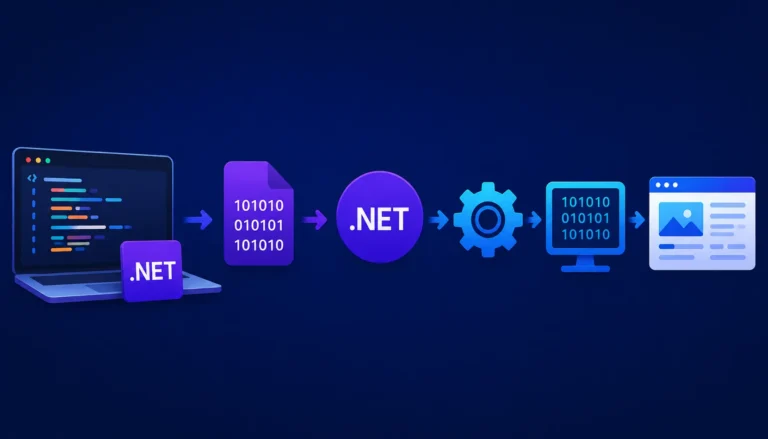
Every framework can use a certain set of programming languages. Developer works with those languages and then the engine converts it into machine language for executing the app. Here’s a step by step process of how app development works on .NET:
- The developer goes to an integrated development environment, such as Visual Studio or Visual Studio Code.
- They enter codes in C#, F#, or Visual Basic.
- The compiler then organizes the code into a common intermediate language (CIL).
- This compiled code is now stored in an assembly.
- The execution engine, called common language runtime (CLR) helps to execute the code when the application starts running.
- The Just in Time compiler converts the CIL code into machine code as per the operating system of the user.
- As a result, the app doesn’t require rewriting of the code for running on different hardware platforms.
- For improving performance further, the Garbage Collector removes unused objects from the memory while the CLR manages allocation and deallocation of memory.
- The application made on the framework is self-deployed and can run on Windows, MacOS, and Linux without any modification.
How can Developers Benefit from Using .NET?
As mentioned above, the purpose of a backend framework is to make the process of app development more efficient. Following are some of the benefits .NET framework offers to support efficient app development:
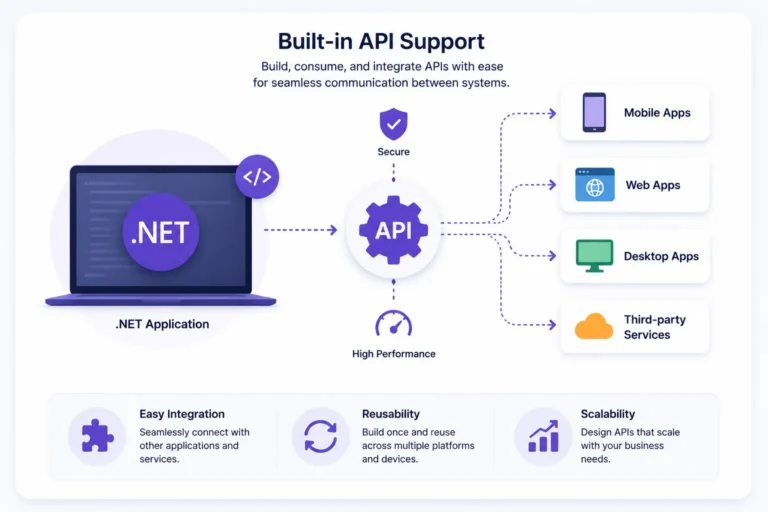
- Cross-Platform Development: Developers can write the code once, which can help the app run on Windows, macOS, Linux, Android, and iOS.
- Supports Multiple Programming Languages: Developers have the flexibility to use C#, F#, and Visual Basic, even within the same application.
- Provides High Performance & Scalability: The framework has two in-built compilers, called Just-in-Time (JIT) compiler and Ahead-of-Time (AOT) compiler to optimize the overall performance.
- Has High Standard Libraries: The collection of libraries and frameworks in .NET provide better file handling, networking, security, and database access.
- Multiple Frameworks: .NET has other frameworks within, which include ASP.NET for web applications, MAUI/Xamarin for mobile apps, and Entity Framework Code for database management.
- Provides High Security and Reliability: It has built-in features for authentication, encryption, access control, and automatic memory management, which makes the app more secure and reliable.
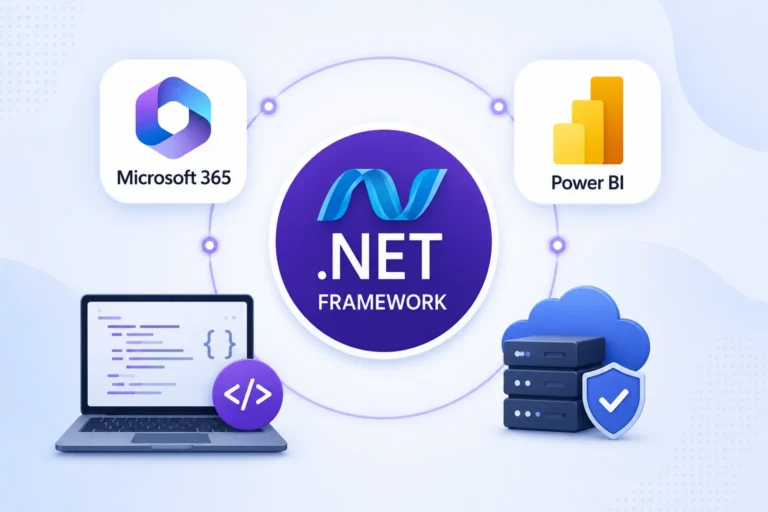
- Allows Seamless Integration with Microsoft Ecosystem: Since the platform is developed by Microsoft, it naturally integrates with other Microsoft tools, which include Azure, SQL Server, Microsoft 365, and Power BI.
- Open-Source: .NET Core and .NET 5+ are open-source and don’t have any licensing fees. This reduces the overall cost of app development on any .NET framework.
- Suitable for Developing Advanced UI: The platform supports Blazor, WPF,WinForms, and single-codebase UI development, which helps to build rich desktop and mobile apps.
- Easy to Maintain: Due to its built-in automatic memory management, structured coding, and modular development, it is very easy to maintain.
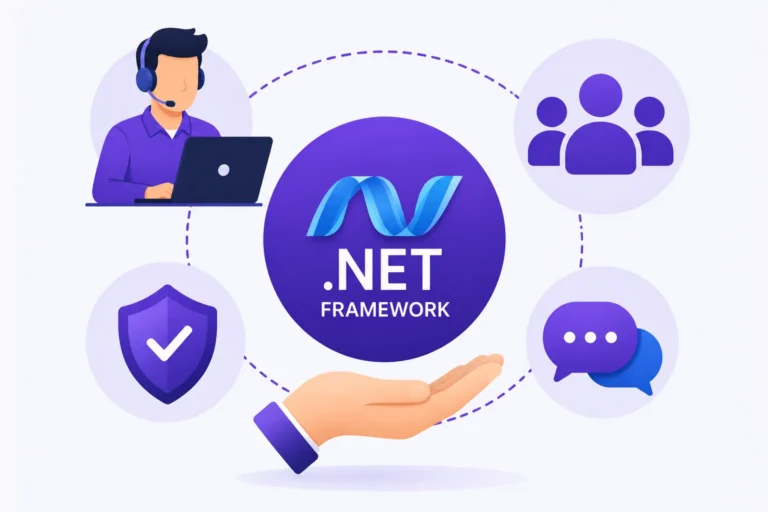
- Active Community: Being a popular backend framework developed by Microsoft, it has a huge and active community of developers and users, encouraging further learning and troubleshooting along with providing customer support.
- Long Term Support: The use of .NET is very popular among enterprises, which is why Microsoft provides long-term support versions of the framework.
Which Apps Can You Develop Using .NET?
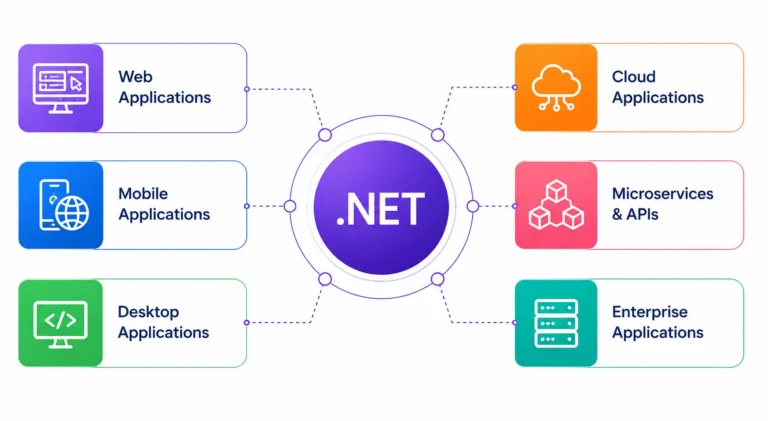
Due to its ease of use and maintenance, high standards of security, cost-effectiveness, and robust infrastructure of built-in libraries and features, .NET is most popular for enterprise app development. It is also widely used for dynamic applications, API development, microservices, desktop software, and cloud based solutions.Apps like MySpace, Notepad++, GitHub, Netflix, eBay, and Stack Overflow are all made using .NET framework. If you’d like similar standards for your application, all you need is a team of developers specializing in the .NET framework.
The Middleware Pipeline: What Actually Happens Between a Request Coming In and a Response Going Out
The blog explains the CLR executing compiled code, but for a web app specifically, there’s a layer sitting in front of your controller logic that determines a lot about how the app behaves, ASP.NET Core’s middleware pipeline.
Sequential Execution Flow: Every incoming HTTP request flows top-to-bottom (and back bottom-to-top) through an ordered chain of middleware components (CORS, authentication, routing) registered in Program.cs.
Registration Order Matters: Misordering middleware-such as placing exception handling after routing or authentication-prevents global error catching and leads to subtle execution bugs.
Custom Middleware Overhead: Custom middleware delegates are simple to write, but unoptimized logic (like expensive request logging or serialization) executes on every request and creates global performance bottlenecks.
Dependency Injection Lifetimes: The Setting That Causes the Most Subtle Production Bugs
.NET’s built-in DI container is convenient enough that teams often register services without thinking carefully about lifetime, and this is where a lot of hard-to-reproduce bugs originate.
- Singleton services are created once and shared across the entire application’s lifetime. This is fine for stateless services, but registering something with mutable state as a singleton means every request is now sharing and potentially corrupting the same in-memory state, a bug that often only shows up under concurrent load, not in local testing with one user.
- Scoped services are created once per HTTP request, this is the right lifetime for anything tied to a request’s context, like an
EF Core DbContext. Injecting a scoped service into a singleton is a specific, well-known trap, the singleton captures a single instance of what should have been request-specific, and every subsequent request ends up reusing stale data from the first request that triggered it. - Transient services are created fresh every time they’re requested, appropriate for lightweight, stateless operations, but overusing transient registration for something expensive to construct adds unnecessary allocation overhead across the app.
Configuration and Secrets: Where Environment-Specific Behavior Actually Lives
The blog touches on cross-platform deployment, but a genuinely cross-environment app, dev, staging, production, needs a real strategy for configuration that goes beyond a single appsettings.json file.
- .NET’s configuration system layers sources in a specific priority order:
appsettings.json, thenappsettings.{Environment}.json, then environment variables, then command-line arguments, with later sources overriding earlier ones. This is what lets the same compiled binary behave differently in each environment without a rebuild, exactly the kind of “build once, deploy anywhere” behavior the framework promises. - Secrets, connection strings, API keys, should never live in
appsettings.jsoncommitted to source control, full stop. Local development typically uses the .NET Secret Manager (dotnet user-secrets), which keeps secrets outside the project directory entirely, while production environments pull from Azure Key Vault, AWS Secrets Manager, or environment variables injected at deploy time. IOptions<T>pattern binds configuration sections to strongly-typed classes, which means a typo in a config key surfaces as a compile-time or startup-time issue rather than a silentnullreference deep in application logic during a request, a small habit that saves real debugging time down the line.