
- 1 Cross-Platform Development – Develop once and run on Windows, macOS, and Linux with code reusability for cloud, mobile, web, and desktop apps.
- 2 High Performance – Uses Kestrel web server, supports efficient I/O operations, and integrates HTTPS, TLS, and middleware for security.
- 3 Robust Security – Offers built-in authentication, data encryption, hashing algorithms, and Transport Layer Security (TLS) for enhanced protection.
- 4 Scalability & Reliability – Easily integrates with cloud services, supports asynchronous programming, and features optimized runtime for faster execution.
Would you use an app that isn’t user-friendly or responsive to all devices you use? When looking for web application development solutions, we need to look for a framework that can help you meet certain standards. One such backend framework is .NET.
Developed by Microsoft in 2002, it has been used by thousands of developers to build secure, responsive, and user-friendly solutions. Let’s figure out why.
Benefits of Using .NET for App Development
When looking for a backend development framework, here’s what you can consider for building scalable and responsive apps:
Cross-Platform Development
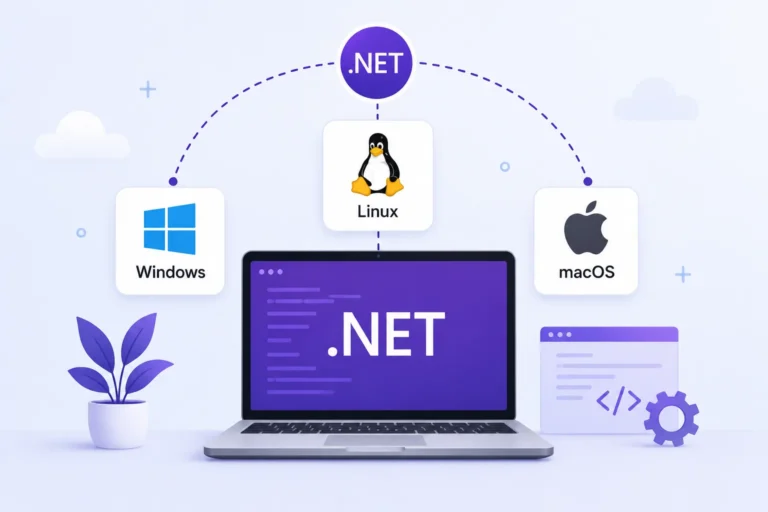
By working on the app once on the platform, you can develop an app that can run on Windows, macOS, and Linux. A single code can also be reused for building cloud solutions, mobile apps, web apps, and desktop solutions.
Here’s how this further benefits you:
- Efficiency in app development with code reusability.
- Consistency with same UI and functionality across all platforms.
- Easy to maintain with lesser bug fixes and updates.
High Performance
.NET uses Kestrel, a lightweight, cross-platform web server built specifically for ASP.NET Core, to handle HTTP requests efficiently. Here’s how it delivers high-performing apps:
- Apps built on Kestrel scale well under load.
- .NET’s async/await model (the Task-based Asynchronous Pattern) handles I/O operations without blocking threads, keeping apps responsive under concurrent requests.
- Built-in support for HTTPS, TLS, and a configurable middleware pipeline strengthens both performance and security.
- Integrates seamlessly with the ASP.NET Core middleware pipeline.
Robust Security

Microsoft has been popular due to its in-built security in all its apps. Most Microsoft apps we use are built on the .NET platform. Following are some of the security features it provides:
- Built-in authentication and authorization
- Encryption of sensitive data
- Transport Layer Security for HTTP requests
- Hashing algorithms for passwords
Scalability & Reliability
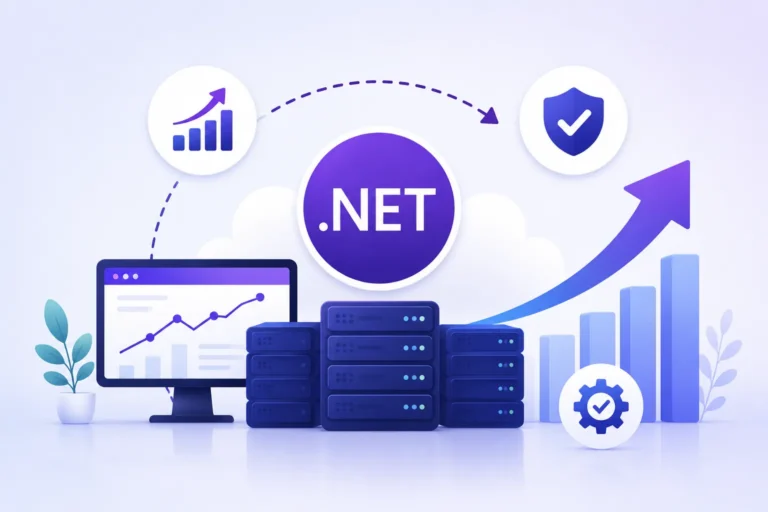
A scalable app can handle increase in traffic without getting slower. .NET is suitable for app development for a growing organization. Here’s why it is reliable for building a scalable solution:
- Easy integration with cloud services.
- Optimized runtime for faster execution.
- Asynchronous programming for non-blocking operations.
- Garbage collector for efficient memory management.
Rich Development Ecosystem
The ecosystem of .NET has some powerful development and a good collection of libraries to extend functionality. They include the following:
- Visual Studio and VS code for debugging, profiling, and code analysis.
- Command Line Interface for running apps and building solutions.
- NuGet, a package offering thousands of libraries for app development.
- ASP.NET Core for building scalable web apps.
MVC & Razor Pages Support
The ASP.NET Core framework uses a model-view-controller pattern that can improve growth, upkeep, and testability. Razor Pages is another ASP.NET Core option that supports page-based UI work.
Main benefits include:
- Simplicity
- Code organization
- Better performance
- Better form handling
Integrated Dependency Injection (DI)
A dependency injection helps to manage database connections, APIs, services, configurations, and third party libraries. .NET has built-in dependency injection, which helps in the following:
- Improving modularity and scalability
- Enhancing maintenance
- Efficient resource management and memory optimization
- Improving testability
Microservices & API Development
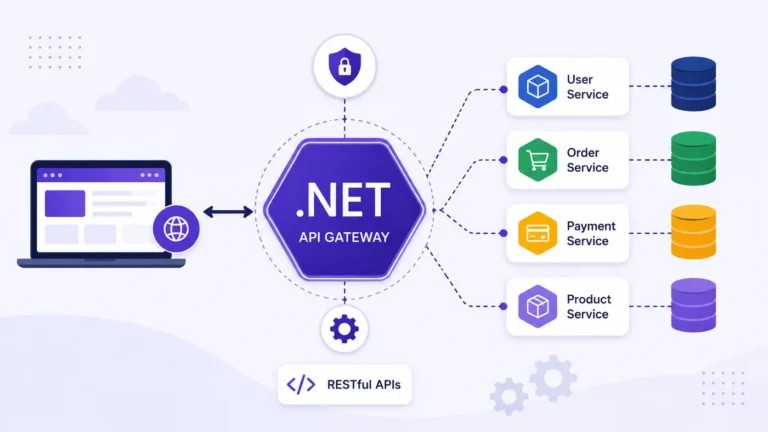
A microservice is a small service that can work with other services inside an app. APIs help those services communicate and do their jobs. .NET supports .NET microservices and API work through tools such as:
- Builds lightweight APIs through ASP.NET core.
- High-performing microservices enabled by .NET gRPC.
- AI Gateway support through Ocelot and YARP.
- Tools like RabbitMQ and Apache Kafka for communication between microservices.
Easy Integration with Databases
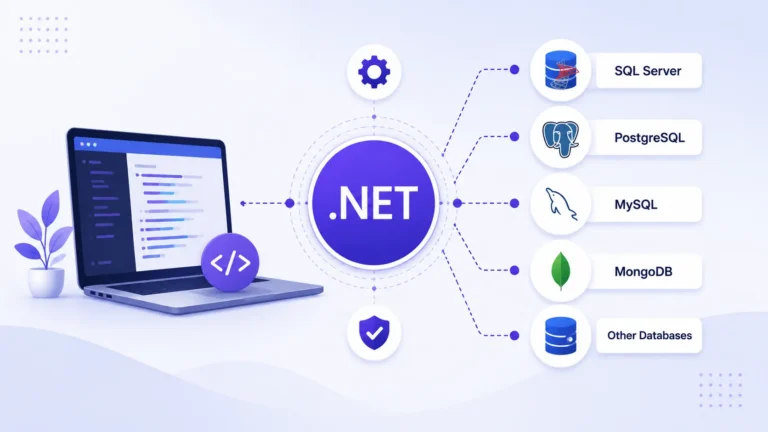
Being a Microsoft-developed framework, it provides integration and support with other Microsoft tools very easily. Following are some of Microsoft platforms it integrates with for database access:
- SQL Server
- MySQL
- PostgreSQL
- MMongoDB
Full-Stack Development
Since .NET uses C# instead of JavaScript, it enables you to work on both frontend and backend development of an application. Following are the frameworks that enable full-stack development on .NET:
- ASP.NET core for backend development
- Blazor for frontend development
- Entity framework core for database management
- IdentityServer for authentication
Who Should Use .NET?
As there are many frameworks out there, some details should be kept in mind about .NET. So who uses this approach most often, or benefits most from its use?
Developers who build for scale — The framework offers a rich set of standard libraries, so developers write less code for many features. The mature ecosystem and good IDE support also make it easier to build and ship production apps faster.
Companies that rely on Microsoft products — If a business already uses Microsoft tools, it can take advantage of the close fit between products and build apps that connect naturally with other services.
Teams that want cross-platform products — .NET can build web, desktop, and mobile apps from one code base. For teams that want wide reach, one shared code base is easier to manage than separate apps for each platform.
Organizations that need regulatory compliance — The framework offers built-in security and compliance features such as data encryption, authorization, and network security. This can help financial firms, healthcare groups, and government agencies meet rules without extra layers.
Developers who prefer static typing — C# is statically typed and easier to maintain in many cases. The compiler helps catch wrong values early, which improves safety.
On the other hand, .NET is not always the best fit for very small businesses or one-person teams. In those cases, a lighter framework may be a better match. If a team already works well with Node.js or another dynamic language such as Python, it may also make sense to stay with that stack rather than switch.
.NET vs Node.js vs Java
The choice between these technologies is usually driven by the current skills of the development team and the needs of the project. There is no one best choice for every case.
Performance
.NET is strong for CPU-heavy work and I/O because of the Kestrel design. Node.js is great for high-throughput, scalable, concurrent I/O work, but it can struggle with CPU-heavy tasks because it is single-threaded. Java also performs well and is often a strong pick for enterprise systems that need long-term stability.
Language and Ease of Learning
C# is a statically typed, object-oriented language and is often compared with Java. Node.js uses JavaScript or TypeScript, which is easy to learn for many frontend developers. Java has a steeper learning curve, but it can be a strong fit for large enterprise systems.
Ecosystem
The .NET ecosystem is closely tied to other Microsoft tools such as Visual Studio and Azure services. It offers broad frameworks for cloud, machine learning, and other modern work. The Node.js module ecosystem is huge, but package quality varies a lot. Applications powered by Node.js can also end up with more dependencies, which can be a challenge compared with apps built on .NET or Java. The Java module ecosystem is one of the most mature and trusted for enterprise-grade solutions.
Scalability
Apps built with all three technologies can scale, but the path is different in each one. In .NET, apps scale well through async operations. In Node.js, scaling can be less direct and may need extra work. Java offers strong vertical scaling and a solid base for horizontal scaling.
Recommendations
Based on the comparison, here are the main guidelines for choosing between .NET, Node.js, and Java:
- Choose Java if you want a stable, long-term enterprise platform.
- Choose .NET if you want type safety, enterprise apps, and a consistent C# stack.
- Choose Node.js if you want shared frontend and backend code and a JavaScript-based stack for I/O-heavy apps.
Challenges Working with .NET
There are some challenges with every framework, and .NET is no exception.
Moving from .NET Framework to newer .NET: This is one of the biggest issues. Older apps built with .NET Framework may depend on Windows APIs or other legacy tools, which can make migration hard.
License details for related tools: The .NET runtime is free and open source, but some tools around it still require licenses. Visual Studio and some special NuGet packages can add cost.
Historic Windows-only issues: .NET is cross-platform now, but much older documentation, tutorials, and third-party libraries were written for Windows. Teams on Linux or macOS may still hit edge cases.
Keeping up with the release schedule: Updates bring improvements, but teams must track them so they choose STS or LTS versions in a way that fits their upgrade plan.
Difficulty hiring C# talent in some areas: Hiring C# developers is not always hard, but some markets have more Node.js or Python talent, which can make those roles easier to fill.
Future of .NET Application Development
.NET has moved a long way from its early days as a Windows app platform. Today it is a full cross-platform stack for web, cloud, desktop, and distributed apps.
Cloud work is growing fast, and .NET fits that shift well. With ASP.NET Core, teams can build APIs and services and deploy them to cloud platforms, containers, or server machines as needed.
.NET has also become more flexible in app design. Teams can build microservices, background services, real-time apps, and APIs that connect with other systems. That gives companies more ways to shape their software around business needs.
The .NET ecosystem is also becoming more important in AI and cloud-native work. Microsoft keeps investing in the platform, which helps it stay useful for modern development.
This means modern .NET is not just an old Windows tool. It is a flexible base that can adapt to new methods, new systems, and new environments.
Deployment and Hosting Options for .NET Applications
Once the app is built, it still needs a place to run. The good news is that .NET gives teams several solid choices.
Azure App Service: A natural cloud choice for Microsoft .NET apps. It offers CI/CD, autoscaling, and low setup effort.
AWS: AWS works well with .NET too. Services like Elastic Beanstalk, EC2, and AWS Lambda can run .NET apps with the right runtime.
Docker and Kubernetes: Modern .NET apps can run in containers. This is a strong fit for .NET microservices and multi-cloud setups.
IIS on Windows Servers: .NET apps can still run on IIS. This is useful if your team already has Windows Server infrastructure in place.
Linux Servers: Modern .NET also runs well on Linux. Nginx or Apache can work as reverse proxies with the Kestrel web server behind them.
Choosing the right option depends on your setup:
- Use cloud-native services if you want less manual setup.
- Use Docker or Kubernetes if you are building .NET microservices or using several cloud providers.
- Use IIS or Linux servers if your infrastructure is already in place.
In short, there is no single right way to host a .NET app. The best choice depends on your needs and your current setup.
Popular Apps made on .NET Framework
Most Microsoft tools we use, which include Microsoft Office Suite apps and Outlook are made on .NET. Other popular apps include Stack Overflow, Dell’s ecommerce platform, JPMOrgan and HSBC’s online platforms, Skype, AWS, eBay, and various government websites of US. Would you prefer to use .NET for app development too?